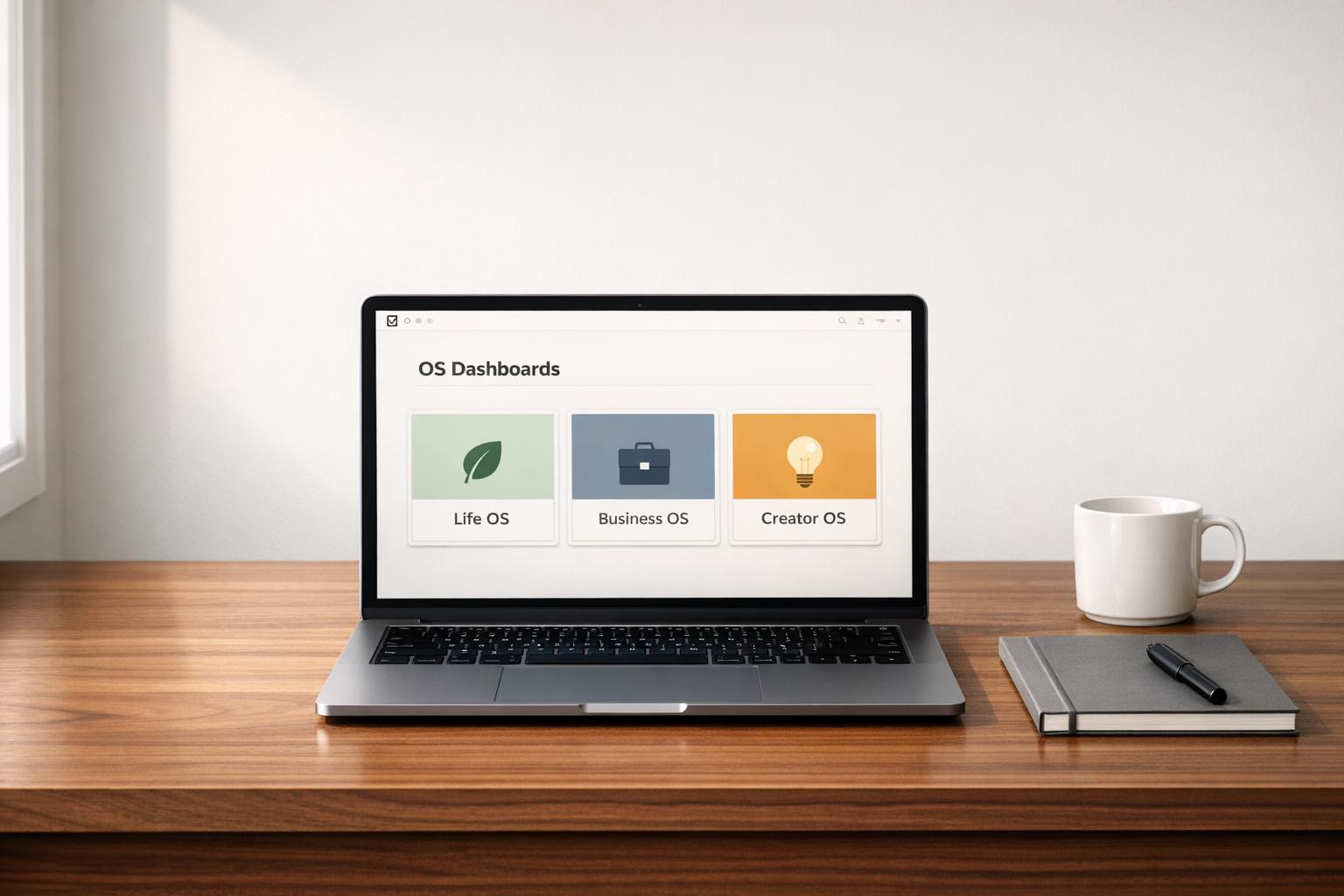
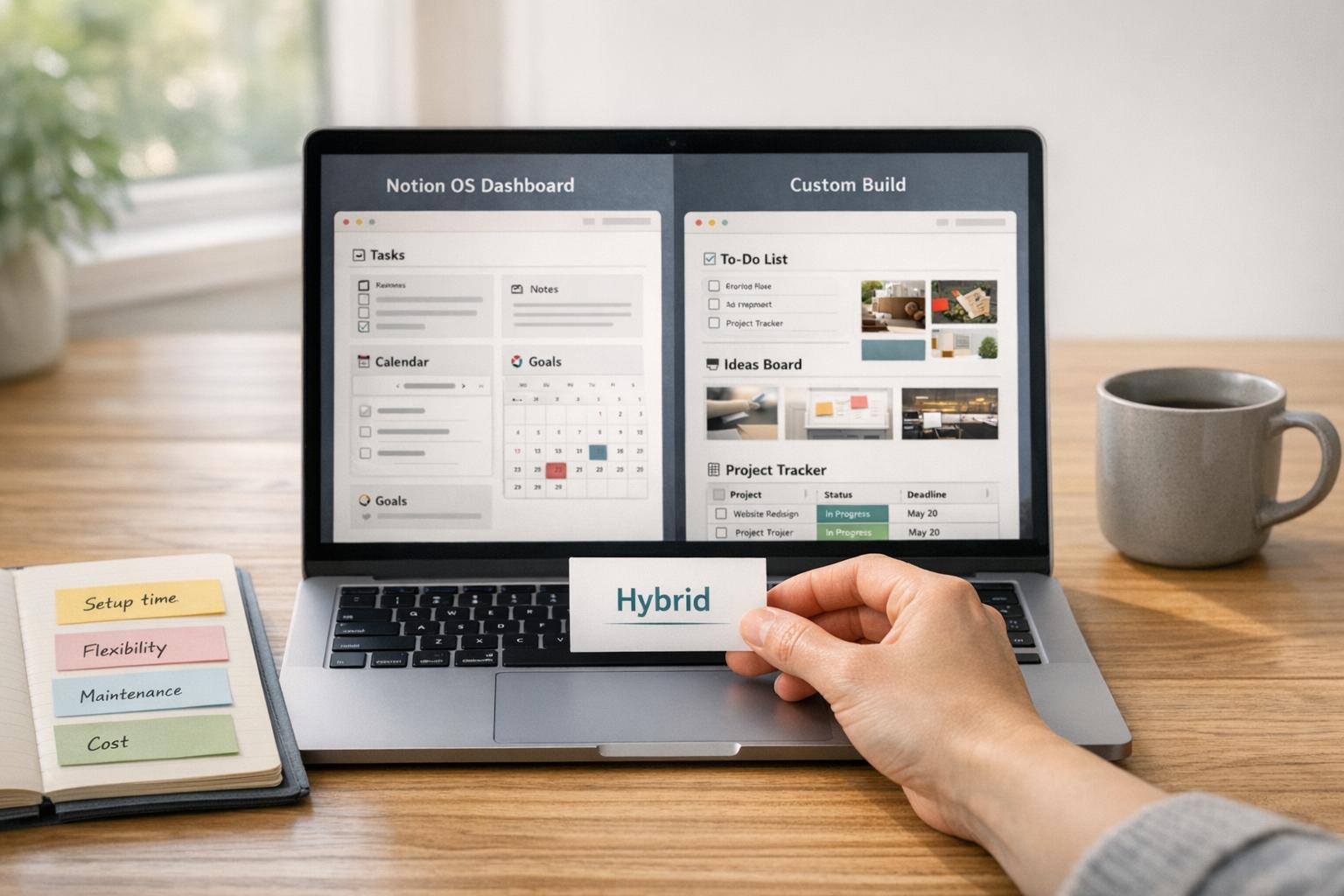
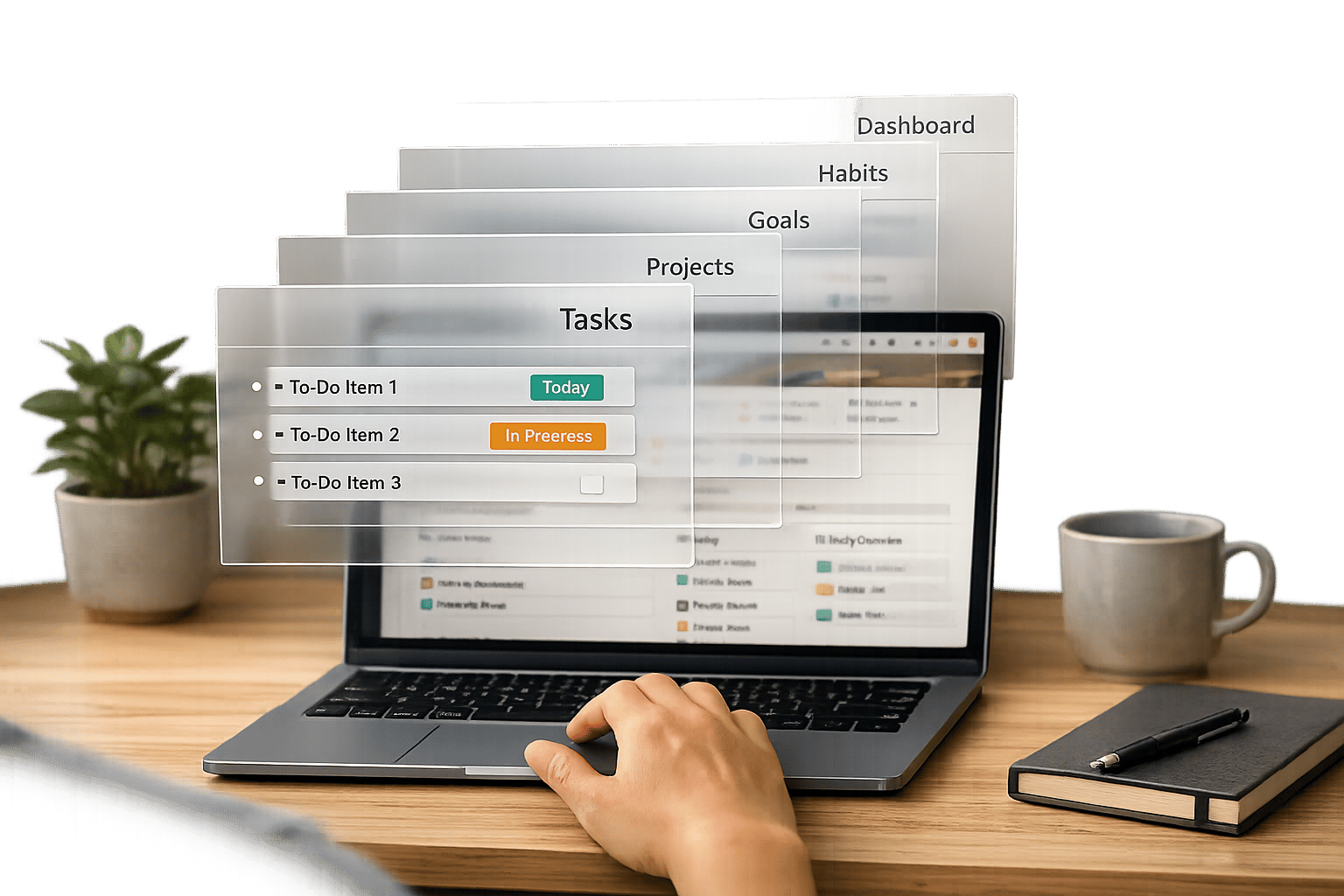
If managing your sales pipeline feels like a constant battle of juggling emails, scattered spreadsheets, and clunky CRMs, you’re not alone. What you need is a streamlined Notion CRM template that brings deals, contacts, and follow-ups into one organized workspace. The good news? You don’t have to build it from scratch.
This guide highlights seven Notion sales pipeline dashboards and CRM templates designed for different roles and workflows - from solo founders to small teams, agencies, and creators. Whether you’re closing deals, managing partnerships, or running a productized service, these templates offer affordable, ready-to-use solutions that save time and simplify your workflow.
Quick overview:
- Solo founders: Simple Kanban boards for tracking a few deals.
- Small teams: Relational CRMs with shared visibility across deals.
- Agencies: Systems that connect sales to project delivery.
- Creators: Tools for managing sponsorships and partnerships.
- B2B sales teams: High-touch pipelines for complex sales cycles.
- Productized services: Pipelines that integrate sales and invoicing.
- Hybrid setups: Full Business and Life OS dashboards for managing sales, projects, and operations.
Let’s explore how these templates can transform your sales process and help you focus on what matters most - closing deals.
How I Manage My Sales Pipeline in Notion ( + Free Template)
sbb-itb-ced67d6
What a Notion Sales Pipeline Dashboard Actually Does
A Notion sales pipeline dashboard serves as a centralized workspace where contacts, deals, and interactions come together seamlessly. Unlike standalone spreadsheets, a Notion CRM leverages interconnected databases - such as Contacts, Companies, Interactions, and Opportunities - linked through Relation properties. By connecting a contact to a company and associating both with an opportunity, Notion creates a unified view of your sales data, eliminating the need to constantly switch between tabs.
This setup enables automated insights that make follow-ups more efficient. With Rollup properties, you can instantly calculate metrics like the total deal value for a company or the date of your last interaction. As of 2025, 74% of CRM users say these systems improve access to customer data. Notion’s visual tools take this a step further with Linked Views, allowing you to see the same data in multiple formats - whether as a Kanban board for pipeline stages, a calendar for follow-ups, or a filtered list to spotlight your hottest leads.
Flexibility is where Notion truly shines. While traditional CRMs often impose rigid workflows, Notion gives you the freedom to track metrics tailored to your business, such as referral sources or project milestones:
The real magic happens when your CRM isn't just a standalone tool but an integrated part of your entire digital workspace. It stops being a place you have to update and becomes the natural hub for all client-related activity.
This adaptability enhances both accuracy and efficiency. A Notion sales pipeline dashboard consolidates your tools into a single source of truth. Every interaction - whether it’s a call, note, or document - is tied to a customer profile, ensuring your team has complete context before reaching out. Built-in tasks and reminders keep leads moving forward.
Core Pieces of a Notion Sales Pipeline or CRM
At the heart of a Notion CRM template are four connected databases, each designed to streamline your sales process. The Deals database serves as the centerpiece, tracking every sales opportunity through clearly defined stages. These stages often follow a multi-step framework, allowing you to move deals through a Kanban board view - from "Lead" to "Closed-Won" - with ease. Each deal record includes key fields like value, close date, probability, and current stage, providing a structured way to manage your pipeline.
Managing relationships is just as important as tracking deals. A Contacts database keeps all individual details in one place - email, phone number, LinkedIn profile, and even the last time you reached out. Meanwhile, a separate Companies database organizes information about the businesses you’re working with, such as industry, location, and total deal value. By linking contacts, companies, and deals, you eliminate the need for constant tab-switching and create a more efficient workflow. As Quentin Villard explains:
Customer relationship management is all about tracking data and having different databases for different aspects like sales, businesses, their team members and more.
To stay on top of every touchpoint, the Activities database logs all interactions - calls, emails, and meetings - while tagging them to the appropriate deal and contact. This ensures nothing falls through the cracks and provides your team with the full context before making the next move.
Bringing everything together are dashboard views. For example, a "Today's Follow-Ups" view filters activities by due date and assignee, helping you prioritize your day. A "Current Pipeline" board groups deals by their stage and calculates the total value at each step. For a broader perspective, timeline views combine tasks, meetings, and CRM entries into a single schedule, offering complete visibility into your sales process.
Lastly, your CRM can go beyond tracking sales. By connecting it with project management templates, "Closed-Won" deals can automatically transition into active client work. This seamless integration transforms your Notion CRM into a central hub for managing everything from sales to delivery, creating a system that grows with your business needs.
1. Simple Solo-Founder Pipeline Dashboard
Who it's for
This dashboard is tailored for solo founders, freelancers, and individual sellers who need a straightforward way to manage a small number of active deals. If you're currently juggling leads in a spreadsheet or across multiple tools, this setup offers a single, organized space for tracking opportunities, follow-ups, and close dates. It streamlines lead capture, stage transitions, and follow-up actions, all in one place.
Core features
At its heart is a central Kanban board that organizes deals by stages - Lead, Qualified, Proposal, and Closed-Won. Each card highlights key details like deal value, priority, close date, and linked contacts. Built-in templates add efficiency with features like date stamping, status updates, and automated reminders to keep deals moving forward. A "Next Actions" view filters deals by due date, so you can quickly identify which opportunities need attention today.
Simple but still complex enough. Best fit for my purpose of small business.
When it's the right fit
This dashboard is perfect when you want an easy-to-use system without the hassle of setting up a full-scale CRM. It’s especially useful if you already rely on Notion for managing notes or tasks and want to integrate your sales process into the same workspace. Start with the basics - deal name, stage, value, and close date - and add more fields as your needs evolve. To keep things running smoothly, update deals right after calls or meetings, ensuring your pipeline stays accurate and actionable.
Where to find it on OS Dashboard HQ
Check out the Sales Pipeline CRM Dashboard for a clean, action-focused solution. You can also explore the Finance & CRM OS category to compare other lightweight CRM templates designed for individual sellers. Many options are free and come highly rated, with user scores of 4.95/5 or better, praised for their simplicity and effectiveness.
2. Small Team Sales CRM
Who it's for
This CRM is designed for small sales teams - typically two to five members, such as account managers, business development reps, or client-facing operators. It provides shared visibility into active deals, follow-ups, and team workload. By centralizing everything in Notion, it ensures smooth transitions and keeps all relevant context intact.
Core features
This system ties together deals, contacts, companies, and meeting notes in a connected framework. A Kanban board offers a straightforward view of deal stages and values. Automated workflows - like date stamping, status updates, and team notifications - help keep deals on track. Features like activity logs, "next step" fields, and reminders ensure everyone stays aligned. Some templates even include forecasting tools that use stage probabilities and deal values to identify high-priority opportunities.
Very handy and practical as a CRM machine. Easy to customize, flexible for daily tracking, and extremely helpful for managing leads, follow-ups, and notes efficiently. - Telge Ginting
When it's the right fit
This CRM is perfect for small teams managing a moderate deal flow without the need for enterprise-level tools. It’s especially useful if your team already relies on Notion for project management or documentation, as it keeps your sales data within the same ecosystem. To maximize its effectiveness, update deals regularly and always define a clear "next step" after each call or meeting. The "Sales Pipeline with Automations" template is highly rated, with a 4.95/5 average from over 100 reviews - 93% of users gave it five stars.
Where to find it on OS Dashboard HQ
Check out the Small Business OS Template Kit or the Freelance Business OS System, both of which include CRM modules tailored for team use. For a more sales-specific option, explore the Finance & CRM OS category to compare lightweight templates. Many professional-grade versions are free, while specialized options are priced around $3.00. This setup is ideal for teams looking to streamline collaboration. For those just starting out, a free Notion creator kit can provide a solid foundation for basic CRM workflows. Up next, we’ll dive into a pipeline designed specifically for agencies and client-service workflows.
3. Agency/Client-Services Pipeline
Who it's for
This setup is designed for agencies, marketing teams, and consultants who manage the transition from leads to active projects. It's especially helpful for those juggling multiple client stakeholders and delivering complex projects - think design studios, marketing firms, high-growth startups, or consulting groups. Unlike standard pipelines, this system incorporates workflows specific to agency operations.
Core features
An agency pipeline goes beyond basic setups, adding tools tailored for managing intricate projects. It combines CRM, deal tracking, and lead management into a unified system that covers the entire client journey. One standout feature is the automatic conversion of leads into clients as soon as a project kicks off, creating a seamless bridge between sales and operations. Included templates offer client portals and task managers for easy file sharing and project updates. Additionally, interaction planners help schedule meetings, calls, and follow-up emails to keep communication on track.
When it's the right fit
This system is ideal for companies looking to centralize their client goals and documentation. It’s particularly effective for teams managing 10–50 active deals, where connecting sales efforts directly to project delivery is essential. For agencies that prioritize high-touch client service, templates with dedicated client portals can elevate professionalism and cut down on back-and-forth emails. The Simple Sales CRM & Pipeline template, rated 5.0/5, is a popular choice for those seeking a straightforward yet versatile solution for marketing and sales needs.
Where to find it on OS Dashboard HQ
For agency-focused templates, this pipeline shines with its integrated client management tools. Browse the Agency OS dashboards category for solutions that connect sales and project delivery. Options like the Small Business OS Template Kit and the Freelance Business OS System include CRM modules suitable for agency workflows. If you're leaning toward a more sales-driven option, the Finance & CRM OS category is worth exploring. While many agency CRM and pipeline templates are free, professional-grade options start at around $3.00.
Up next: a pipeline tailored specifically for productized services.
4. Productized Services Pipeline
Who It's For
This setup works best for agencies, freelancers, and creators offering standardized service packages, like fixed-price SEO audits or brand sponsorships. Unlike custom B2B sales processes, productized services operate with a predictable flow - consistent scope, pricing, and deliverables. A structured Notion CRM becomes essential for streamlining this process and efficiently moving leads through the pipeline.
Core Features
This pipeline uses interconnected databases for deals, contacts, and tasks, tailored specifically for standardized services. It combines deal tracking and deliverables into one cohesive system. Templates such as the Small Business OS include tools for managing quotes and invoices directly within the workspace. When a lead is closed, the system can automatically generate a project workspace with pre-set tasks. Key features include automated invoicing, built-in finance tracking, and client portals for smoother delivery. Lead onboarding is standardized with interaction planners, and users have noted saving around $49 per month compared to dedicated CRM software like Streak.
When It's the Right Fit
If your sales cycle involves high volumes of repeatable transactions - like offering a $2,500 website design or a $1,200 monthly retainer - this system is a perfect match. It standardizes key stages (Discovery, Proposal Sent, Onboarding, Fulfillment) and automates follow-ups to keep things moving efficiently. As Suhaib, a verified user, shared:
This is absolutely wonderful, highly recommended. They saved me $49 a month for Streak CRM and I must say much better.
The Sales Pipeline with Automations template has received a 4.95/5 rating from over 100 reviews, with 93% of users awarding it five stars.
Where to Find It on OS Dashboard HQ
Check out the Finance & CRM OS category for pipelines that seamlessly integrate sales, invoicing, and cash flow management. The Sales Pipeline CRM Dashboard is a great option for tracking fixed-scope deals. For a more comprehensive system that connects CRM with project delivery, consider the Small Business OS Template Kit or the Freelance Business OS System. Both include CRM modules designed for repeatable workflows. While many templates are available for free, premium versions typically start at around $3.00.
Next, we’ll dive into a pipeline tailored for creators working on partnerships and sponsorships.
5. Creator/Partnership Pipeline
Who It's For
This setup is tailored for content creators, influencers, and professionals focused on managing brand deals, sponsorships, and partnerships. Unlike pipelines designed for B2B sales, this approach zeroes in on creative deliverables and maintaining strong networks. Whether you're a Notion template creator, UGC creator, TikTok influencer, or social media strategist, this system helps you stay organized with your partnerships and creative commitments. It keeps the spotlight on outputs like videos, posts, and newsletters while also tracking deal stages and key industry contacts.
Core Features
Creator pipelines are all about blending relationship management with monetization. They often include modules for tracking brand deals, sponsorship outreach, and affiliate content, all seamlessly integrated with your content calendar. Look for templates with handy features like "Time to reach out!" formulas that send reminders after 30 or 90 days of no communication. An Interaction Planner is another key feature, allowing you to schedule touchpoints and ensure deliverables align with contract requirements.
When It's the Right Fit
This pipeline is perfect when your leads are brands or agencies, and your offerings are creative services or audience access. It's especially useful for managing anywhere from 10 to 50 brand relationships, tracking sponsorships from initial outreach to final reporting, and balancing creative production with business development. For example, the CRM Pro for Small Businesses & Freelancers has earned a 4.95/5 rating from 38 users, with many highlighting its separate tables for "Companies" and "Contacts" as essential for staying organized.
Where to Find It on OS Dashboard HQ
Check out the Finance & CRM OS category for templates that combine partnership tracking with revenue management. The Sales Pipeline CRM Dashboard is a versatile choice for managing brand deal workflows. For a more comprehensive workspace that integrates content planning with partnership CRM, explore the Business OS dashboards category. While many creator-focused templates are available for free, premium Notion template bundles and individual versions typically start at just $3.00.
Next, we’ll dive into a B2B pipeline designed for navigating complex sales cycles.
6. High-Touch B2B Pipeline with Notes and Activities
Who It's For
This setup is tailored for B2B sales teams, account managers, and consultants who handle intricate, relationship-focused sales processes. If you’re managing enterprise-level deals that span months, involve multiple decision-makers, and require detailed client interactions, this pipeline is your go-to. It’s designed to document every interaction - whether it’s a call, email, or meeting - ensuring no detail slips through the cracks during extended sales cycles.
Core Features
These high-touch B2B templates distinguish between Companies and Contacts, a feature that earned a 4.95/5 rating for its ability to track multiple stakeholders effectively. Tasks and meetings are linked directly to Deals, offering a comprehensive view of every opportunity in the pipeline. An Interaction Planner organizes all client touchpoints - emails, calls, and meetings - in chronological order, while Next Actions or Action Streams ensure follow-ups are automatically sorted by due date. Some advanced templates even include AI-powered note-takers that summarize meetings and generate actionable tasks.
When It's the Right Fit
This pipeline is perfect for long sales cycles, high-value deals (think $100,000 or more), and situations where multiple touchpoints are necessary for each prospect. It’s ideal for managing between 20 and 100 active B2B relationships, providing a complete view of client interactions to keep high-value prospects engaged. The Simple Sales CRM & Pipeline received a flawless 5.0/5 rating from 8 users, who described it as "simple yet detailed and spot on" for this type of workflow.
Where to Find It on OS Dashboard HQ
Explore the Finance & CRM OS category for templates that combine deal tracking with interaction histories. The Sales Pipeline CRM Dashboard is specifically designed for complex B2B workflows and offers the relational structure you need. For teams seeking a CRM integrated within a larger workspace, check out the Business OS dashboards category. Options like the Productive CEO Operating System and Headquarters Toolkit seamlessly blend sales pipelines with project management and client deliverables.
Keep reading to discover how hybrid pipelines can fit into all-in-one Business OS bundles for operators who need a unified workspace.
7. Hybrid Pipeline inside a Full Business OS
Who It's For
This setup is tailored for solo entrepreneurs and growing teams juggling sales, projects, and operations. If you're managing leads, contacts, and deals while also keeping track of task boards, wikis, and project timelines, a hybrid pipeline within a Business OS serves as a centralized hub. It's especially useful for agencies and client-service businesses that need to oversee the entire lifecycle - from capturing leads to delivering post-sale services - all within one Notion workspace.
Core Features
Hybrid systems link Deals and Contacts directly to project management tools, making it easy to launch projects as soon as a deal closes. advanced Notion template bundles include features like AI voice transcription to turn meeting recordings into structured notes, and stakeholder mapping to visualize organizational charts for complex accounts. These systems also integrate with marketing workflows for lead nurturing, operations tools for team collaboration, and finance tracking to keep tabs on billing and relationship health. One standout example, the CRM Pro for Small Businesses & Freelancers, has received a 4.95/5 rating from 38 users, with many praising it as a master database that organizes all business essentials - people, places, and things - in one place.
When It's the Right Fit
A hybrid pipeline is the go-to solution for unified project management that brings together documentation, tasks, and sales data. It’s perfect for multi-consultant firms that need shared workflows and systematic lead generation. Businesses where tracking relationships and maintaining historical context (like meeting notes and past proposals) are just as important as managing current deal stages will also find this setup invaluable. If your team needs clear handoffs, detailed reporting, and a workspace where support, engineering, and marketing can all access shared client information, this configuration delivers the streamlined efficiency that makes Notion a powerful Business OS.
Where to Find It on OS Dashboard HQ
Explore integrated options in the Business OS dashboards category, such as the Small Business OS Template Kit, Freelance Business OS System, and Productive CEO Operating System. If you run a product-based business, check out the Ecommerce Business OS Workspace. Prefer starting with a dedicated CRM that can evolve into a full Business OS? Begin with the Finance & CRM OS category or the Sales Pipeline CRM Dashboard and add project and task modules as your workflow grows.
How to Choose the Right Notion CRM Template for Your Sales Process
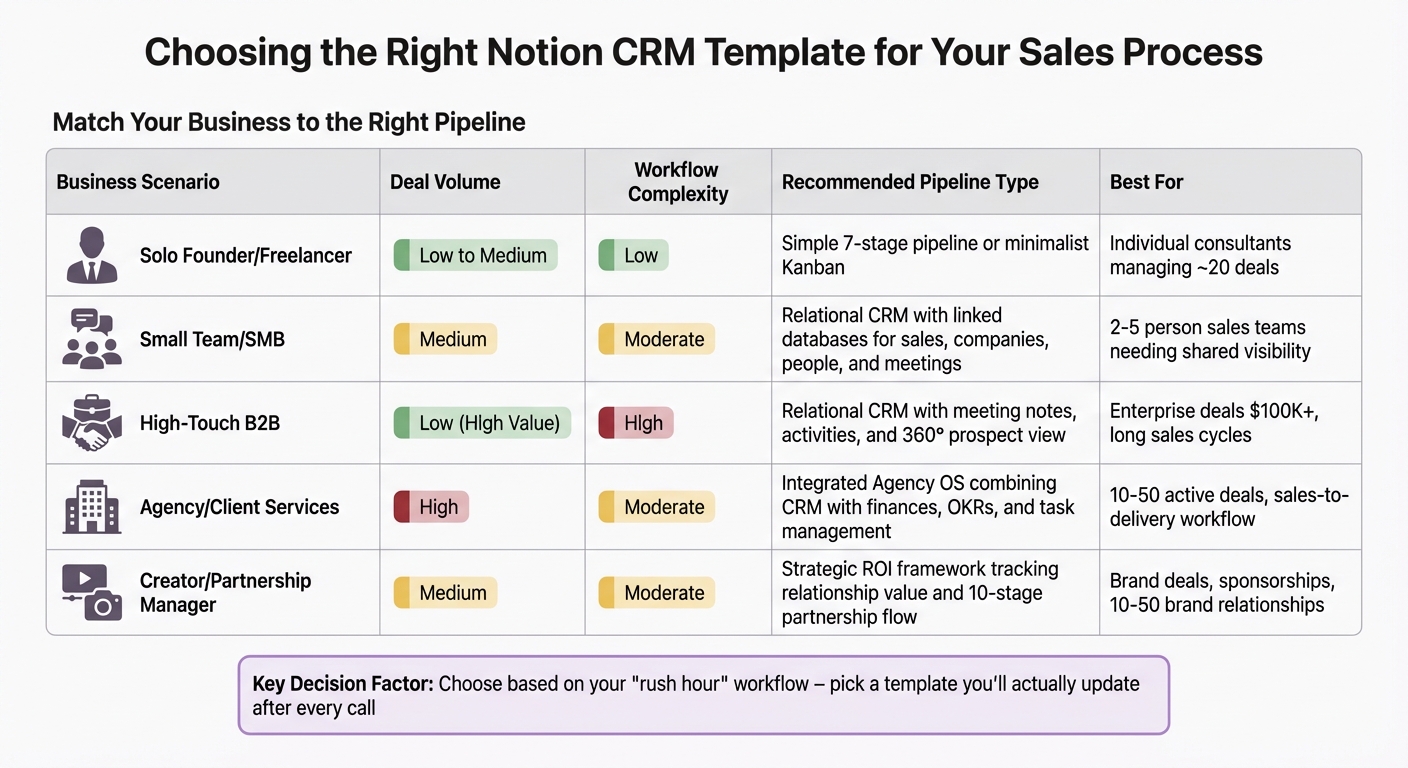
Notion CRM Template Selection Guide: Match Your Business Type to the Right Pipeline
Finding the right Notion CRM template boils down to three main factors: deal volume, team size, and workflow complexity. For instance, if you're a solo consultant managing a limited number of deals, a straightforward Kanban board with fields like deal value, priority, and close date might be all you need. As Super.so explains, "If you want speed, choose a simple board with a few key fields; if you want more control, choose one with contacts, activities, and clear stages". On the other hand, a small B2B team working with high-value accounts will benefit from a relational CRM that connects deals to companies, contacts, and meeting notes, ensuring everyone is on the same page before important calls.
Focus on your "rush hour" workflow. Choose a template that works well when you’re in a hurry. For example, if you often need to log calls and set follow-ups quickly, avoid templates with mandatory fields or overly complicated automations. The best CRM is the one you’ll consistently update after every interaction. Tech writer Parth Shah points out, "The problem with Notion's flexibility is that it's never really finished. Because you can tweak everything, you feel like you should... I was becoming an expert at organizing my work, but I wasn't actually getting more work done". This "maintenance tax" is something to keep in mind - complex setups often require constant upkeep.
| Business Scenario | Deal Volume | Workflow Complexity | Recommended Pipeline Type |
|---|---|---|---|
| Solo Founder / Freelancer | Low to Medium | Low | Simple 7-stage pipeline or minimalist Kanban |
| Small Team / SMB | Medium | Moderate | Relational CRM with linked databases for sales, companies, people, and meetings |
| High-Touch B2B | Low (High Value) | High | Relational CRM with meeting notes, activities, and a 360° prospect view |
| Agency / Client Services | High | Moderate | Integrated Agency OS combining CRM with finances, OKRs, and task management |
| Creator / Partnership Manager | Medium | Moderate | Strategic ROI framework tracking relationship value and a 10-stage partnership flow |
For solopreneurs just starting with sales workflows using Notion starter templates, a 7-stage pipeline - Lead Generation, Initial Contact, Needs Assessment, Proposal, Negotiation, Contract, and Delivery - provides structure without unnecessary complexity. For those managing larger volumes of deals, templates with Notion buttons and repeating database templates can automate tasks like follow-up reminders. Meanwhile, if you're evaluating partnerships or collaborations, look for templates that go beyond tracking deal stages and include tools to assess factors like time investment and return on effort.
Lastly, test mobile usability before committing to a template. Complex Kanban boards with many columns can become unwieldy on Notion's mobile app. Try updating a deal or adding a note on your phone during a typical workday - if it feels cumbersome, the setup might be too complicated for everyday use. The Finance & CRM OS category and the Sales Pipeline CRM Dashboard on OS Dashboard HQ offer a wide range of options, from simple solo templates to advanced relational systems, allowing you to align your CRM with your sales process seamlessly.
When to Use a Standalone CRM Template vs a Full Business OS
For small business owners and sales-driven teams, choosing the right tool often comes down to balancing complexity with your current workflow. The decision between a standalone CRM template and a full Business OS depends on how integrated you need your systems to be.
Standalone CRM templates are built specifically for managing the sales cycle. They focus on essentials like lead tracking, pipeline stages, and contact management, making them a great choice for solo entrepreneurs or small teams who want to focus on closing deals without unnecessary features. On the other hand, a full Business OS goes beyond CRM functions, combining project management, task tracking, wikis, and finance into one unified dashboard. This all-in-one approach helps eliminate tool-switching by centralizing tasks, documents, and customer data in one place.
For example, a template like the Sales Pipeline CRM Dashboard is easy to set up and delivers instant functionality. In contrast, a full Business OS takes more effort to configure but offers deeper integration across your operations, linking sales data with other critical workflows.
| Feature | Standalone CRM Template | Full Business OS |
|---|---|---|
| Primary Focus | Sales pipeline and lead management | Entire business operations (sales, projects, tasks, etc.) |
| Setup Time | Low; often plug-and-play | Higher; requires linked database setup |
| Best For | Solo founders, sales reps, small teams | Agencies, scaling startups, multi-person teams |
| Data Silos | May exist if not manually integrated | Centralized to avoid silos |
If you're just starting out - say, as a solo consultant juggling around 20 deals - a standalone CRM can keep things simple and efficient. As your team grows or your workload becomes more complex, you might find yourself toggling between multiple Notion pages or external apps. That’s when upgrading to a full Business OS can streamline everything into a single system.
Looking for a balance between simplicity and functionality? Check out templates in the Finance & CRM OS category, such as the Small Business OS Template Kit or the Freelance Business OS System. These options combine CRM tools with features like invoicing and project tracking, offering a middle ground.
One of Notion’s strengths is its flexibility. You can start with a standalone CRM and gradually build it into a larger Business OS by linking databases. This approach allows you to scale your system step by step, avoiding the overwhelm of jumping into a fully integrated setup too soon. For more guidance on how to centralize your workflows, check out our article on Business OS vs Life OS in Notion: Key Differences.
Take a moment to assess your current needs. Whether you’re focused on closing sales or managing a growing operation, OS Dashboard HQ has curated templates to fit your workflow.
Next Steps: Explore CRM and Sales OS Dashboards on OS Dashboard HQ
Now that you’re familiar with the seven pipeline patterns, it’s time to take action. Pick a template and commit to a 90-day trial. This period gives you enough time to see if the system aligns with how you actually work - whether you’re a solo consultant juggling 20 deals or an agency managing a team of account managers.
If you’re new to CRM systems, start simple. A great option is the Simple Sales CRM & Pipeline by Laura Miller, which has earned a 5.05/5 rating from eight reviews. For those in the service industry, the Agency - CRM, Deals & Sales Pipeline System by heyismail offers a structure tailored for client-focused sales processes.
To compare your options, check out the Finance & CRM OS category for standalone CRM templates. If you need an all-in-one solution that connects sales with projects and invoicing, explore the Business OS dashboards. Once you’ve duplicated a template into your Notion workspace, take the time to personalize it. Adjust pipeline stages, rename fields, and define clear “next steps” to match your unique sales process. Notion’s flexibility makes it easy to fine-tune every detail.
The focus isn’t on creating a perfect system - it’s about building one that works consistently. After every call, update the deal, set one actionable next step, and see if managing sales feels smoother after a few weeks. If the system holds up during busy times without overwhelming you, you’ve likely found the right fit.
For more tips on centralizing your workflows, check out our Complete Guide to Notion CRM for Small Businesses. Ready to simplify your sales process? Choose your template today and start your 90-day trial to see real changes in how you manage deals.
Conclusion
Pre-built Notion sales pipeline dashboards and CRM templates offer an immediate solution, saving you the hassle of building database connections from scratch. Designed by professionals, these templates provide structured systems at a fraction of the cost - some are even free, while premium options remain affordable. As mentioned earlier, experts often emphasize how these templates strike a balance between ease of use and robust functionality.
The key is to align the template with your specific needs and business scale. For instance, a solo consultant managing 20 deals will require a different setup than an agency juggling multiple account managers. If you run a productized service, consider templates that include client intake stages. For high-touch B2B sales, focus on systems with detailed activity tracking and follow-up dashboards. The Finance & CRM OS category features standalone CRM templates, while the Business OS dashboards combine sales workflows with project management, invoicing, and operations. Choosing the right option can streamline your daily sales processes.
Start with a simple Notion CRM template, test it for a quarter, and tweak it as needed. While no template will directly increase revenue, it will provide clarity on deal statuses, highlight follow-ups, and ensure no lead gets overlooked. This newfound clarity can make a real difference in how you manage sales.
FAQs
How hard is it to customize a Notion CRM template?
Customizing a Notion CRM template is typically simple, thanks to the flexibility built into most templates. You can tweak fields, adjust views, and rearrange layouts to align with your sales process - all without needing advanced technical know-how. That said, how easy this feels often depends on how well you understand Notion’s tools, like databases and filters. If you’re new to Notion, there might be a bit of a learning curve, but with some time and patience, most templates are adaptable enough to meet your needs.
Can Notion automate follow-ups and reminders in a pipeline?
Notion can manage follow-ups and reminders, but it often requires integrations, automations, or third-party tools to do so effectively. While Notion includes some basic automation capabilities, they’re limited, meaning you’ll likely need external tools or custom workflows to achieve full automation for these tasks.
When should I use a full Business OS instead of a CRM?
When your sales process has many moving parts - like coordinating across departments or handling operations such as projects and finances - using a full Business OS in Notion can make a big difference. It’s particularly suited for small to medium-sized businesses that benefit from having everything in one connected workspace.
However, if your needs are more straightforward, such as just tracking deals or managing follow-ups, a standalone CRM might be the better fit. The choice ultimately depends on factors like your team size, the volume of deals you handle, and how complex your operations are.