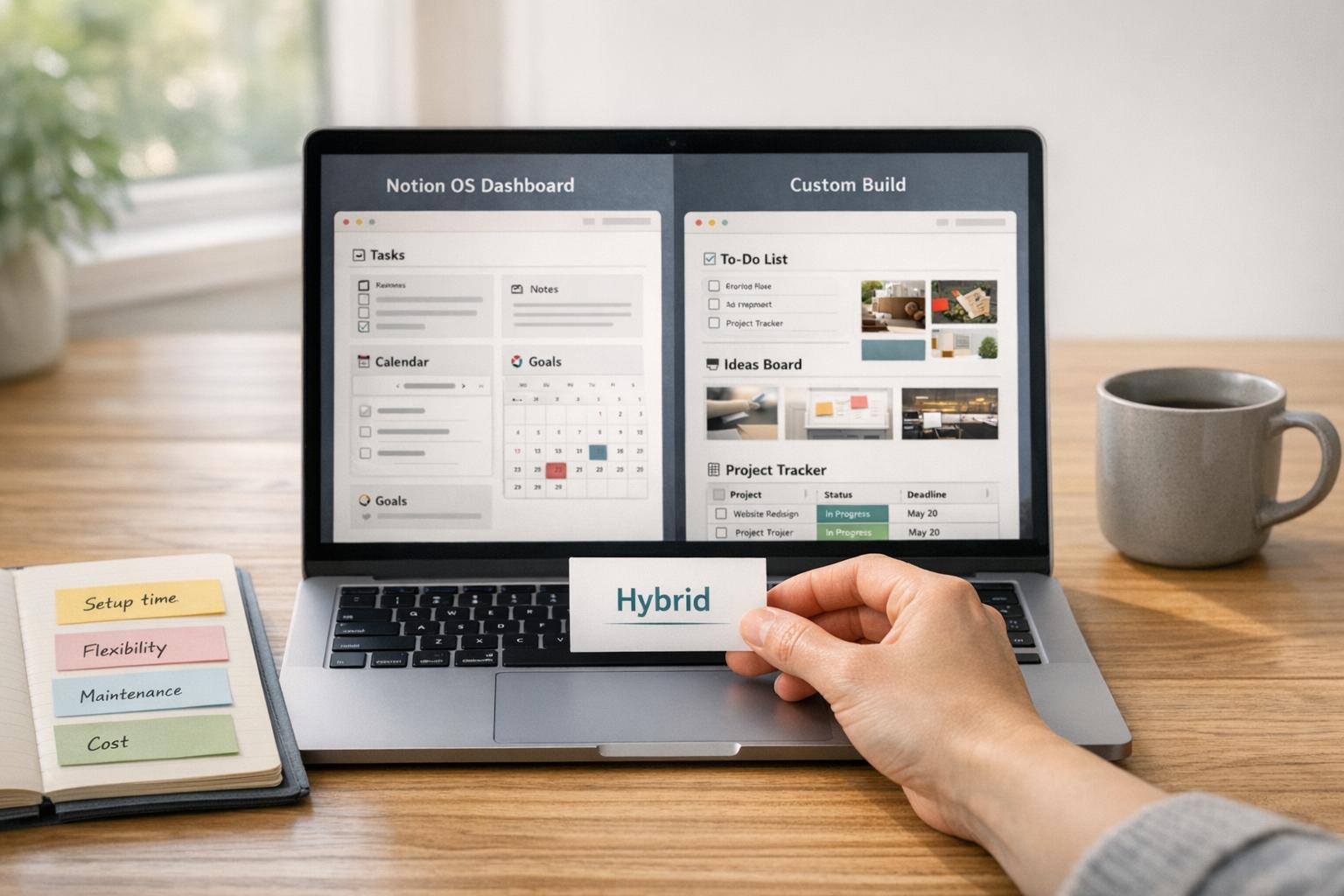
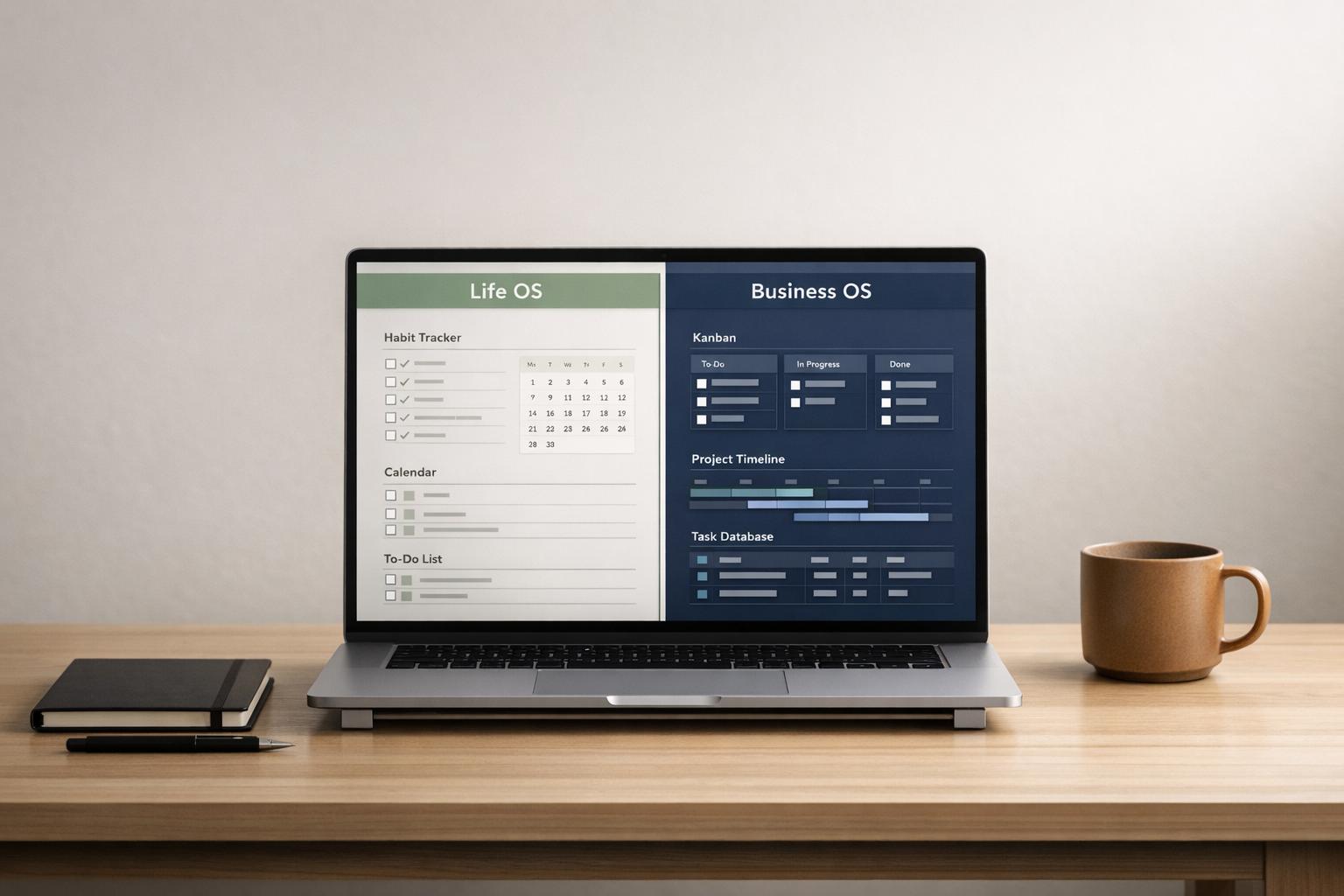
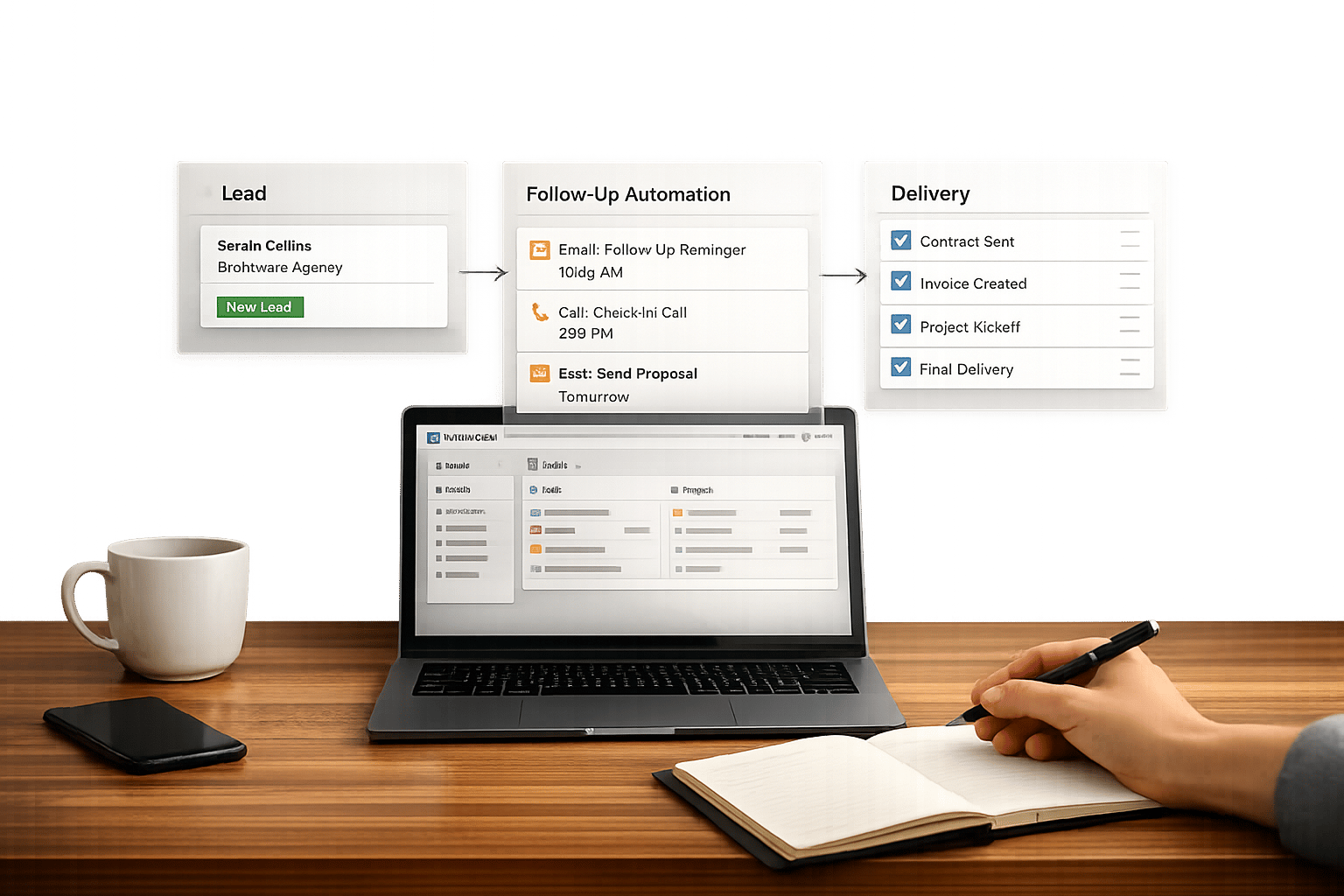
If you're tired of juggling scattered Notion templates and want a system that simplifies your content workflow, this article is for you. Instead of piecing together random pages, these five Creator OS dashboards offer complete Notion templates for creators managing multi-channel content, blogging, sponsorships, and productivity.
What’s covered?
- Multi-Channel Content Planner: A single hub for Instagram, LinkedIn, TikTok, and more.
- Blogging OS with AI and SEO: Tools for writers to manage ideas, SEO, and publishing.
- Social Media Planning Kit: Simplifies idea capture, scheduling, and performance tracking.
- Freelance Business OS System: Combines sponsorship, revenue, and content workflows.
- Clarity Focus and Time Management OS: Balances creative goals with personal priorities.
Each dashboard is available on OS Dashboard HQ, a curated directory of high-end Notion operating systems. If you are just starting out, you might prefer a free Notion creator kit to test the waters. Let’s dive into which one fits your workflow best.
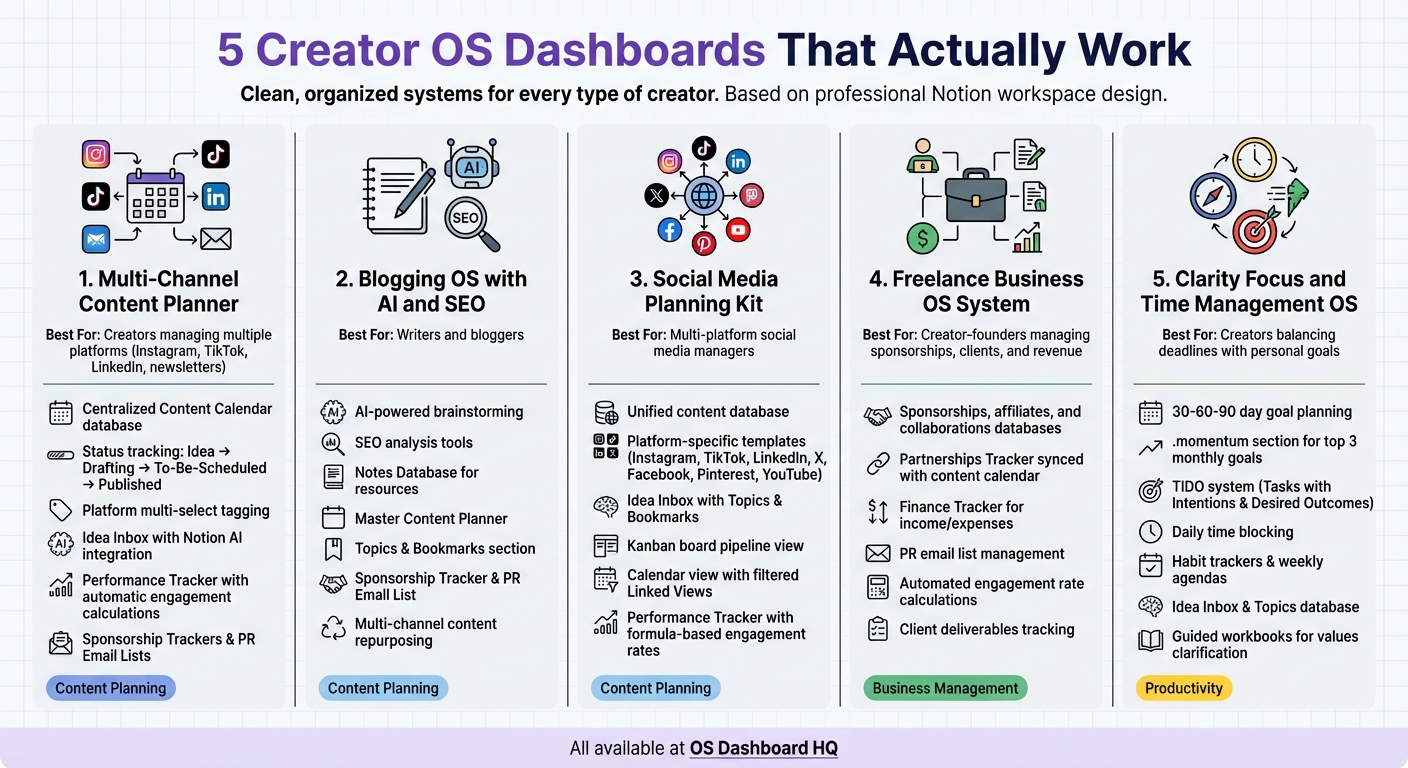
5 Creator OS Dashboards Comparison: Features and Best Use Cases
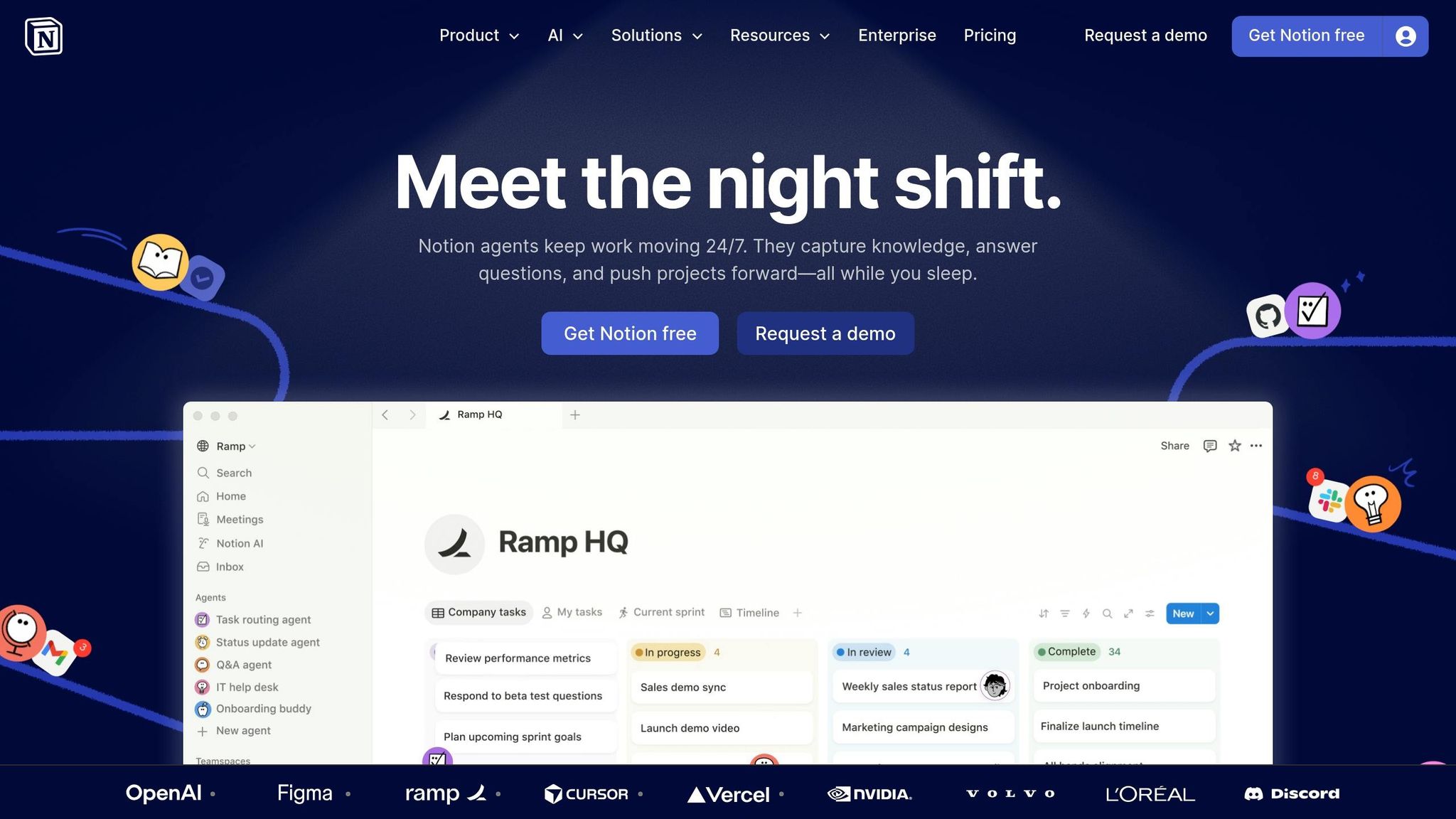
Content Creation Workflows and Dashboard in Notion | Edu-Creator OS
sbb-itb-ced67d6
What Makes a Creator OS Dashboard Work
A Creator OS dashboard isn’t just about aesthetics - it’s about functionality. For creators, the right dashboard connects every stage of the content creation process, from brainstorming ideas to publishing posts and managing sponsorships. The difference between a basic templates and a true operating system lies in how well it handles idea collection, workflow clarity, multi-platform coordination, and business operations.
Centralized idea capture is a must. A dedicated "Inbox" or "Idea Inbox" ensures no spark of inspiration gets lost, even when you’re managing content across platforms like Instagram, LinkedIn, newsletters, and blogs. Combine this with a "Topics & Bookmarks" section to keep research materials organized, and you’ve got a system that makes finding and using content ideas during production much easier.
Another key element is a status-driven content pipeline. A "Status" property - such as Idea, Drafting, To-Be-Scheduled, and Published - keeps your workflow clear and helps you identify bottlenecks. A Kanban board view adds a visual layer: if most tasks are stuck in "Drafting", you know where to focus. Pair this with a "Platform" multi-select property to track content across Instagram, TikTok, LinkedIn, and X, all from a single calendar.
For creators generating income, sponsorship and collaboration tracking is essential. Databases dedicated to sponsorships, affiliate partnerships, and professional contacts help you manage business relationships alongside your content. When you link a "Sponsorships" database to your "Content Calendar", sponsored deliverables seamlessly integrate into your schedule, ensuring nothing falls through the cracks.
Finally, the best dashboards rely on linked views and automation to simplify workflows. Instead of showing your entire content database, filtered "Linked Views" highlight immediate priorities - like posts scheduled for the upcoming week that still need work. Use a "Files & Media" property to attach visuals directly to content cards, and formulas to automate calculations like engagement rates. These features transform a scattered system into a focused, efficient content engine.
These foundational elements set the stage for the premium Notion template bundles we’ll explore next.
1. Multi-Channel Content Planner
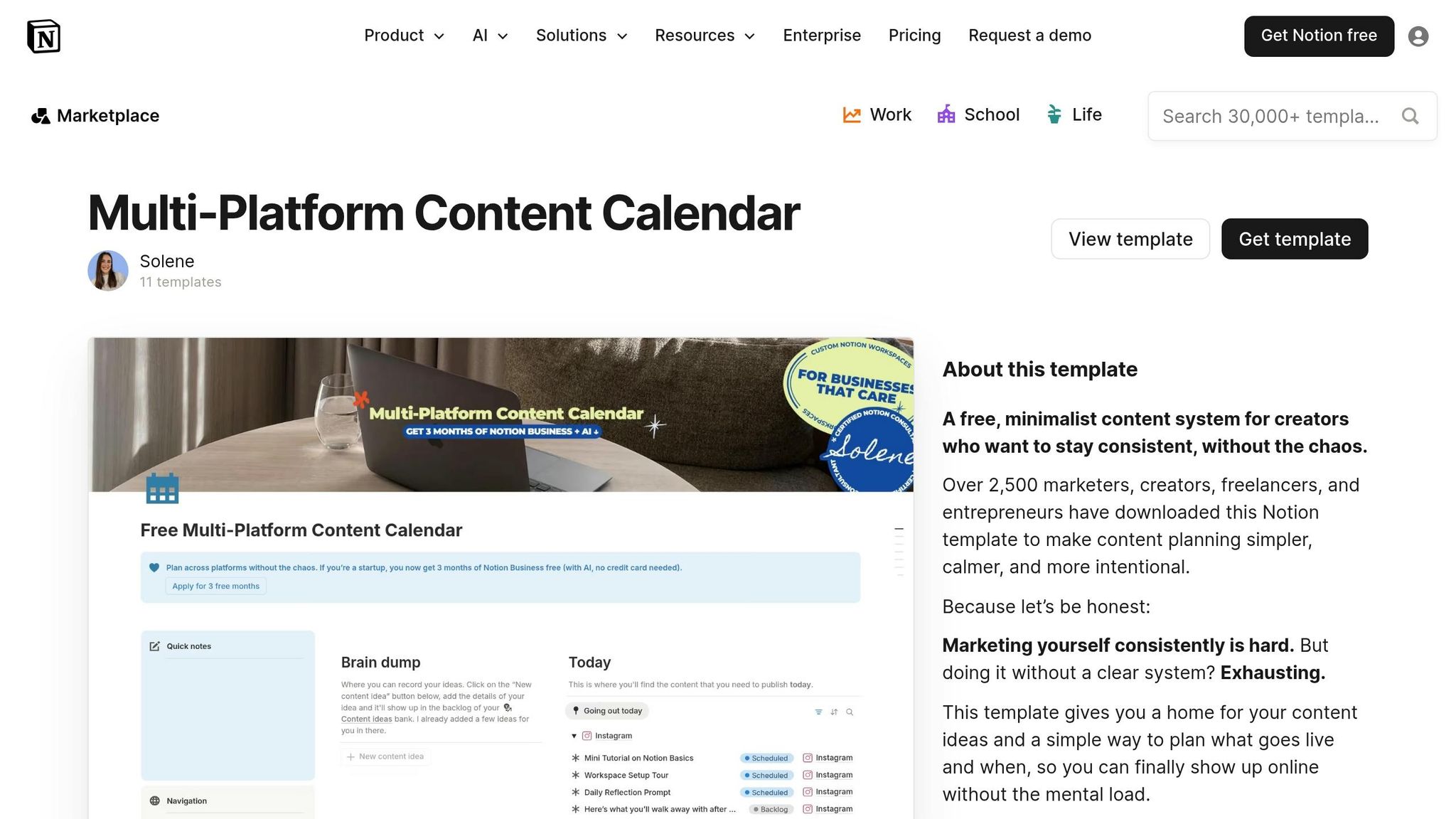
The Multi-Channel Content Planner is built for creators juggling platforms like Instagram, TikTok, LinkedIn, and newsletters - providing one streamlined system to manage it all. Instead of relying on scattered tools, this Notion OS dashboard centralizes everything in a single Content Calendar database. Here, you can store post names, captions, visual assets, and platform tags together. A Status property (Idea, Drafting, To-Be-Scheduled, Published) keeps track of where each piece of content stands, while a Platform multi-select ensures posts can be tagged for multiple platforms - Instagram, TikTok, LinkedIn, or X - without duplicating entries. Let’s break down how this system simplifies content workflows.
Captures and organizes ideas effectively
The planner includes an Idea Inbox, perfect for jotting down sudden bursts of inspiration. With Notion AI integration, brainstorming becomes effortless, helping creators generate fresh content ideas anytime.
Sean McNerney, a creator using a similar setup, shared: "Creator OS has completely transformed how I organize my content! It's easy to use, and I love having my schedule, goals, and projects all in one place."
Provides a clear pipeline from idea to publish
On your main dashboard, Linked Views can be configured to display only "Upcoming Content" scheduled for the next seven days, cutting through the noise and keeping you focused. Each content card supports attachments for images, video clips, or design drafts via the Files & Media property, keeping all assets neatly organized. This setup also helps identify bottlenecks - if content gets stuck in "Drafting", you’ll know exactly where to focus.
Supports multi-channel workflows and recurring content
The planner’s tagging system simplifies multi-platform coordination. A single idea can be tagged for multiple platforms, allowing you to plan a LinkedIn carousel, adapt it for Instagram, and include it in a newsletter - all from one entry. For creators looking to go deeper, advanced features include a Performance Tracker to monitor weekly reach and engagement, with automatic rate calculations. Many creators also use Sponsorship Trackers and PR Email Lists within their dashboards to manage brand partnerships and collaborations alongside their content calendar.
For more tools like this, check out the Creator OS dashboards and Marketing Content OS categories on OS Dashboard HQ.
2. Blogging OS with AI and SEO
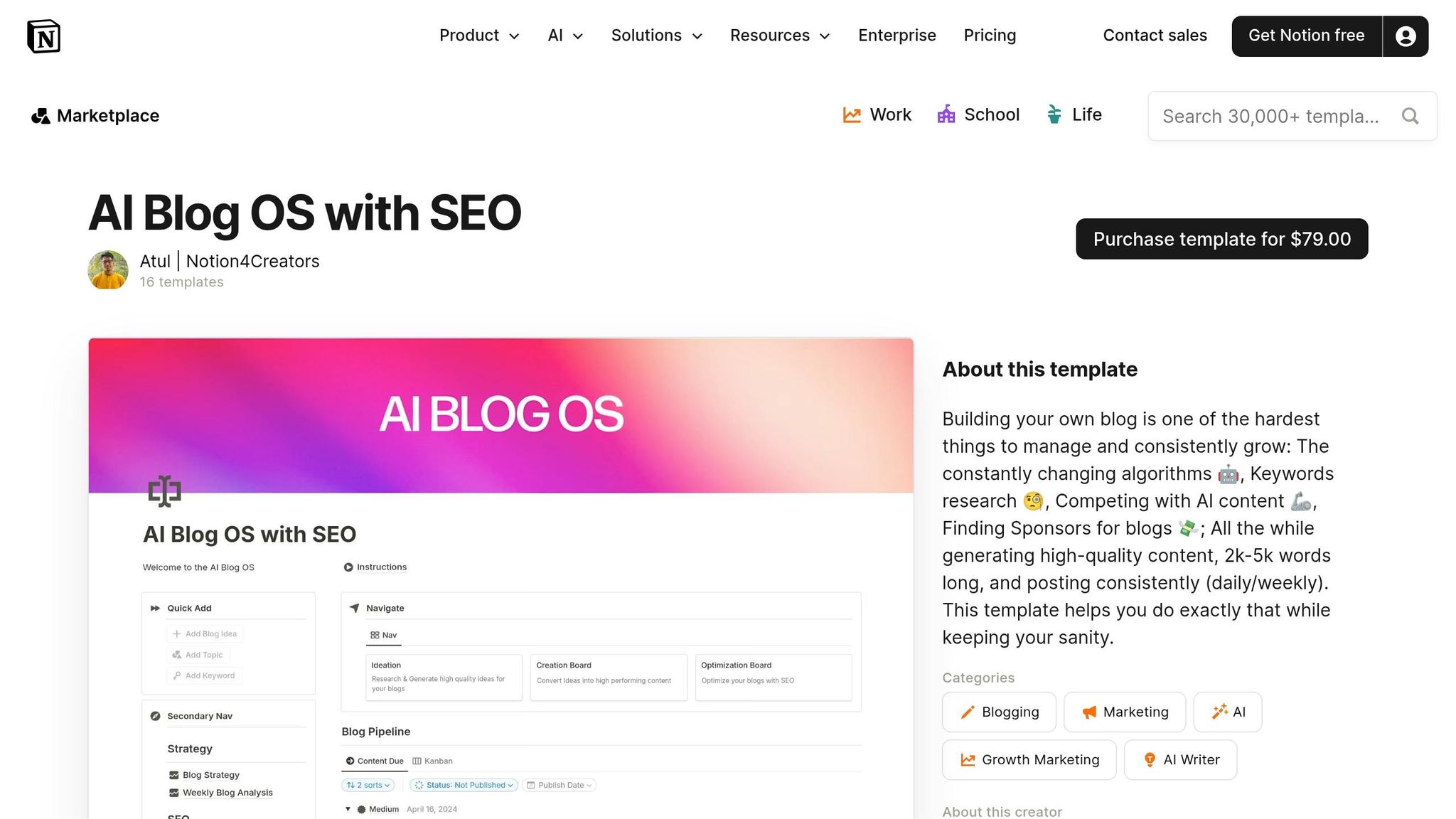
The Blogging OS with AI and SEO is built for writers and bloggers looking to simplify their workflow. This Notion dashboard combines AI-powered brainstorming, SEO analysis, and a streamlined content pipeline into one workspace. Instead of juggling multiple tools, you’ll find everything centralized here. Key features include a Notes Database for organizing resources, a Master Content Planner for managing your publishing schedule, and AI tools to confirm whether your topics resonate with your audience before you start writing.
Here’s a closer look at its standout features:
Captures and Organizes Ideas Effectively
The dashboard includes an Idea Inbox for quickly jotting down blog concepts. A Topics & Bookmarks section allows you to pair SEO keywords and reference links directly with your ideas, keeping all your research in one spot. Plus, with Notion AI integrated, you can brainstorm new blog titles and check if your topics align with what readers are searching for.
Provides a Clear Pipeline from Idea to Publish
Each blog post flows through a clear Status property, moving from Idea to Published. The Kanban view makes it easy to identify bottlenecks in your process. To keep your publishing consistent, the Master Content Planner includes a Weekly Agenda and Posting Schedule, so you’re never scrambling for topics at the last minute. This seamless connection between idea capture, production, and publishing ensures you stay on track.
Supports Multi-Channel Workflows and Recurring Content
While designed for blogging, the system also helps you repurpose content across platforms. Multi-select tags let you mark a blog post for adaptation into newsletters, articles, or other formats, simplifying your repurposing efforts. For creators managing sponsorships or affiliate partnerships, the dashboard includes a Sponsorship Tracker and PR Email List, integrating monetization tools directly into your editorial calendar. This makes it a go-to choice for writers aiming to streamline multi-channel content creation and monetization.
Want more tools for blogging and content creation? Check out the Creator OS dashboards or explore the Marketing Content OS options on OS Dashboard HQ.
3. Social Media Planning Kit
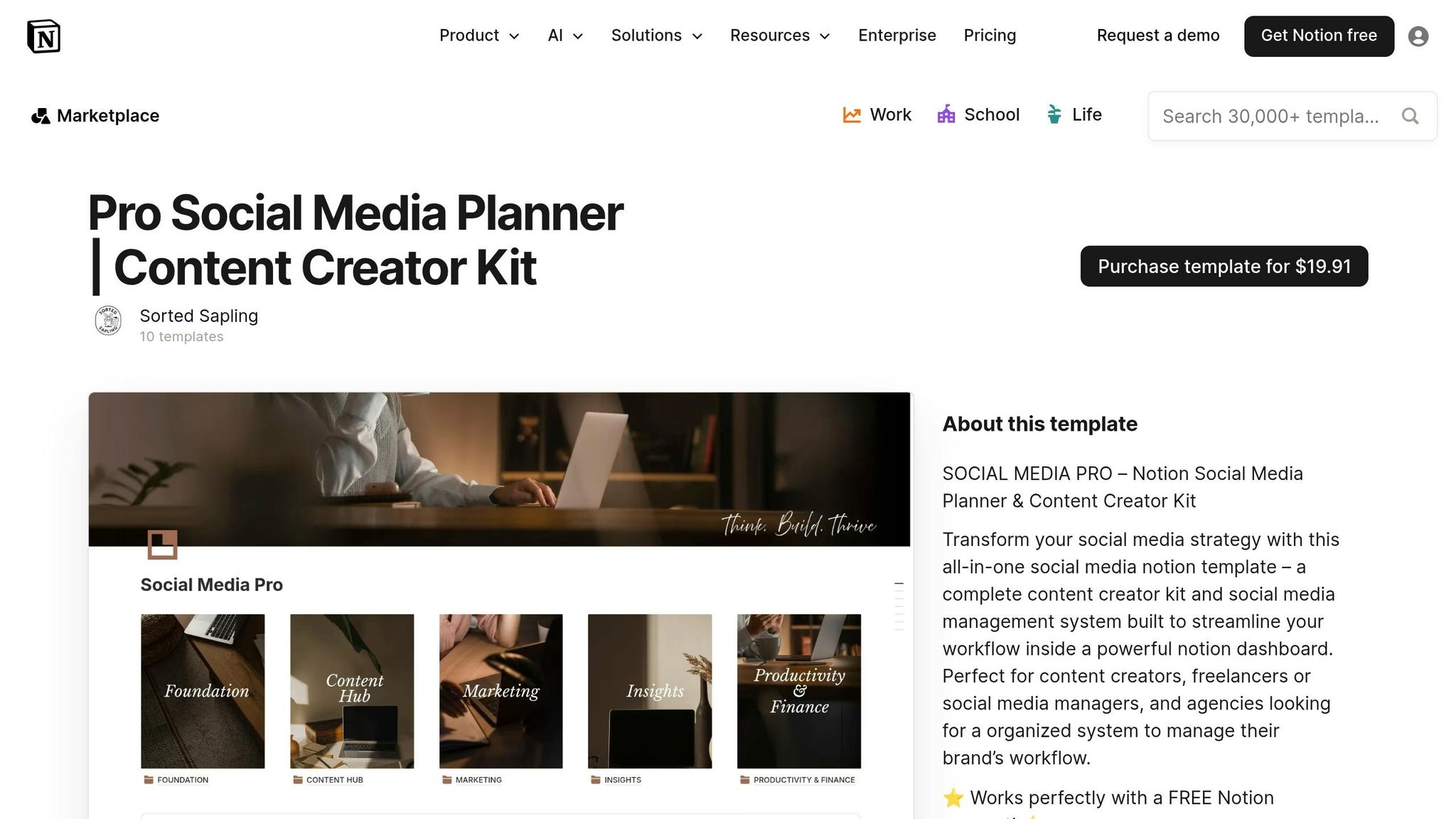
The Social Media Planning Kit is built for creators managing multiple platforms who need a single hub to handle their content. Like other Notion OS dashboards available at OS Dashboard HQ, this kit connects idea generation, scheduling, and performance tracking in one place. Instead of switching between tools, you’ll have a unified content database to manage everything efficiently. Key features include an Idea Inbox for quick idea capture, platform-specific templates, and a Kanban board to track posts from concept to publication across all your channels. Let’s take a closer look at how this kit simplifies idea management, production workflows, and multi-channel planning.
Captures and Organizes Ideas Effectively
The kit’s Idea Inbox allows you to capture content ideas as soon as they strike. It includes a Topics & Bookmarks section where you can store research materials and inspiration alongside your ideas, keeping everything centralized. Multi-select properties let you tag ideas for specific platforms - whether it’s Instagram, TikTok, LinkedIn, X, Facebook, Pinterest, or YouTube - so you can easily adapt one concept for multiple channels. Some versions even integrate Notion AI to help brainstorm content ideas and predict how well they’ll engage your audience before you dive into production.
Provides a Clear Pipeline from Idea to Publish
Every piece of content moves through a structured pipeline using the Status property, which includes stages like Idea, Drafting, To-Be-Scheduled, Scheduled, and Published. A Kanban board visually maps out this process, helping you spot any bottlenecks in drafting or scheduling. For more detailed planning, a calendar view lets you assign exact publishing dates. Filtered Linked Views focus on the week ahead, ensuring you stay on top of what’s next. This system eliminates the last-minute scramble for content ideas and helps you maintain a steady posting schedule.
Supports Multi-Channel Workflows and Recurring Content
The kit also makes managing multi-channel strategies straightforward. With multi-select properties, you can tag content by platform and filter your calendar to view posts for a specific channel, such as Instagram or LinkedIn. Platform-specific templates are tailored to fit the nuances of different formats - whether you’re planning a YouTube video or designing an Instagram carousel. For those looking to monetize Notion workspaces or handle brand partnerships, advanced versions of the kit include a Sponsorship Tracker and PR Email List, seamlessly integrating these elements into your workflow. Additionally, a Performance Tracker helps you monitor metrics like reach, impressions, and engagement rates. Built-in formula properties calculate engagement percentages automatically, giving you the data you need to fine-tune your strategy.
Explore more tools for social media and content planning in the Creator OS dashboards section, or browse the Marketing Content OS options at OS Dashboard HQ.
4. Freelance Business OS System
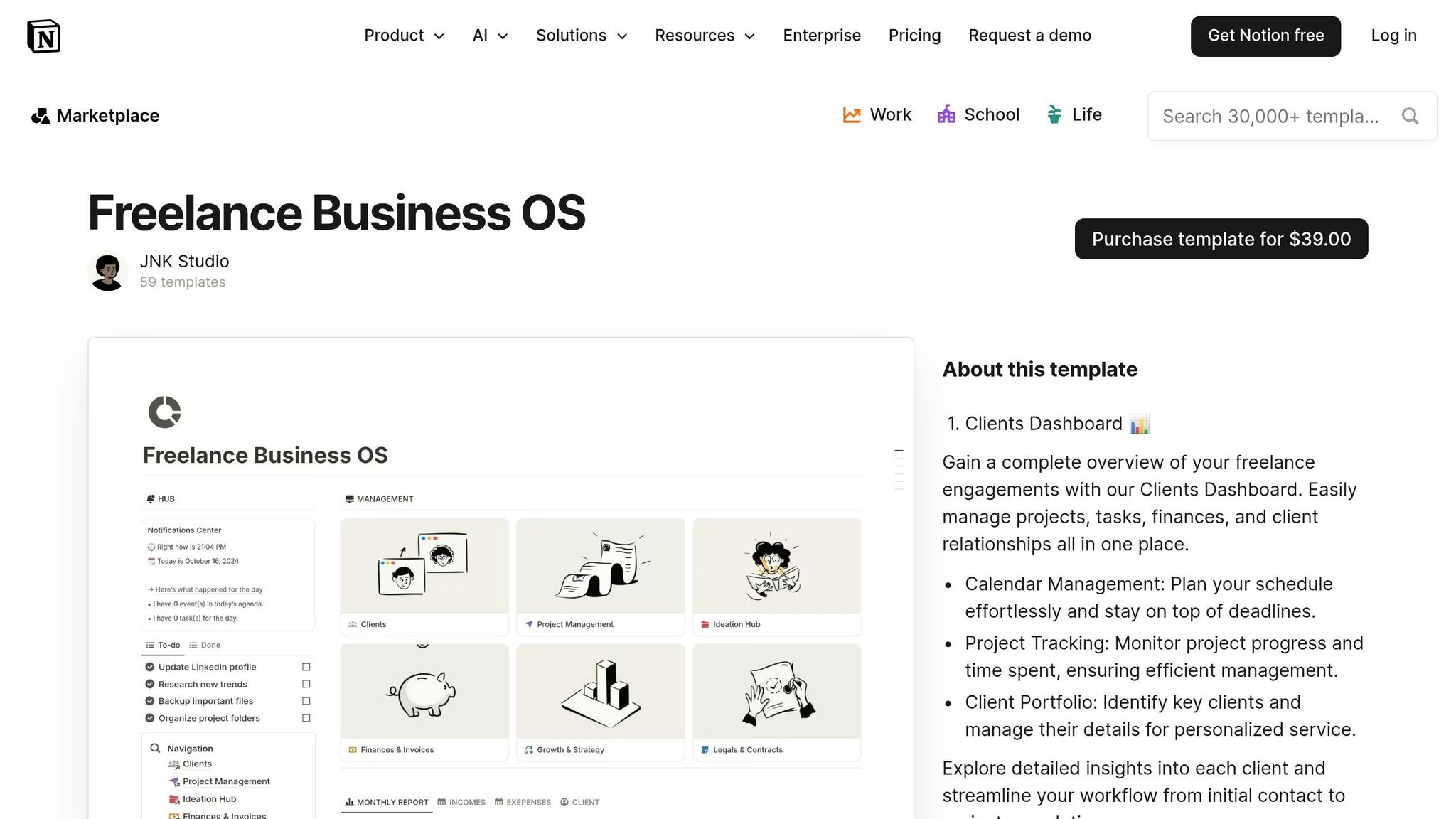
The Freelance Business OS System is built for creators who juggle sponsorships, client work, and revenue management alongside their publishing workflows. Unlike standard content planners, this Notion setup connects your creative process directly to the business side. Think income tracking, partnership management, and relationship building - all in one place. It’s perfect for creator-founders who need to stay on top of both their publishing schedule and sponsor deliverables. Instead of switching between tools for content, invoices, and communication, everything is streamlined into one workspace. Here’s how it meets essential business needs.
Streamlines Sponsorships, Collaborations, and Productivity
This system simplifies partnership management with dedicated databases for sponsorships, affiliates, and collaborations. Each entry captures important details like deadlines, requirements, and communication history, so you’re always aligned with brand guidelines and approval processes. The Partnerships Tracker syncs with your main content calendar, seamlessly integrating sponsored posts into your existing workflow - from Idea → Drafting → Scheduled → Published. This keeps partnership tasks from being isolated and ensures they align with your weekly publishing goals.
For added convenience, advanced versions include tools like PR email list management and pre-written collaboration templates, saving you from drafting emails from scratch every time.
Creates a Clear Path from Idea to Publication
With its Status property, this system tracks both sponsored content and client deliverables. A Kanban board and filtered Linked Views display "Upcoming Sponsorships" and deliverables right on your dashboard, so nothing slips through the cracks. Automated formulas calculate engagement rates, making it easy to generate sponsor reports without diving into spreadsheets. Meanwhile, the Finance Tracker keeps tabs on your income and expenses, helping you identify which partnerships and content generate the most revenue.
For more business-centric solutions, check out the Business OS dashboards category or explore templates like the Small Business OS Template Kit and Productive CEO Operating System.
5. Clarity Focus and Time Management OS
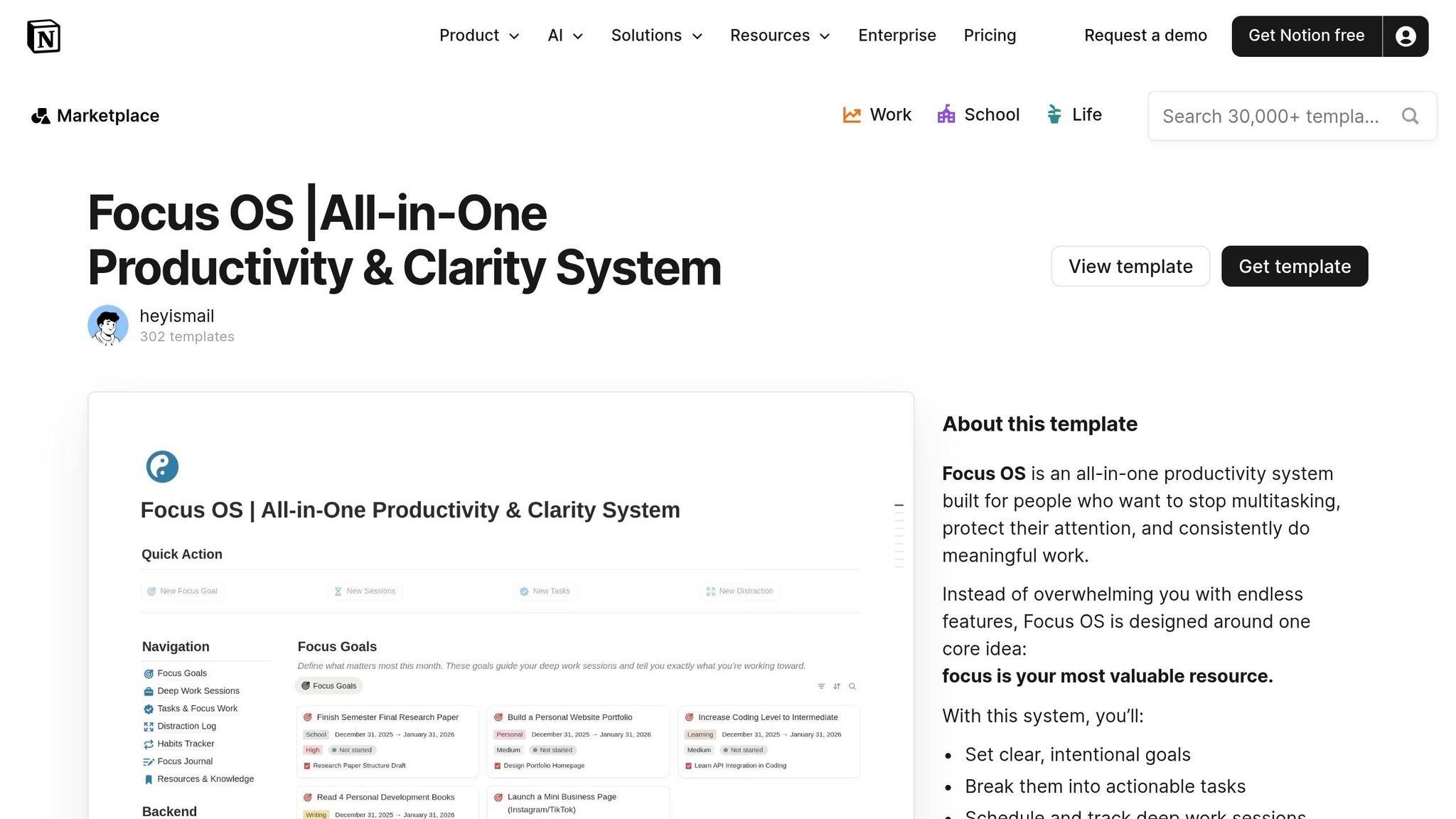
The Clarity Focus and Time Management OS is crafted for creators balancing tight deadlines with personal ambitions. Unlike systems that prioritize content first, this Notion OS starts by centering your energy and priorities, shaping your creative work around them. It's perfect for solo creators who have clear ideas of what they want to publish but struggle to consistently carve out time - or for those feeling scattered across too many projects without a clear guiding focus. By blending long-term planning (using 30-60-90 day goals), intentional task design, and daily time blocking, this system shifts your attention to meaningful work instead of reactive tasks. The result? A setup that not only captures your ideas seamlessly but also transforms them into prioritized, actionable steps.
Captures and Organizes Ideas Effectively
This OS features an "Idea Inbox" and a "Topics & Bookmarks" database to gather your thoughts and spontaneous insights without interrupting your flow. A dedicated ".momentum" section keeps your top three monthly goals front and center, ensuring your inspiration aligns with your bigger vision. Instead of losing ideas in random notes or browser tabs, everything is funneled into one organized hub. Here, you can tag, categorize, and eventually turn those ideas into active projects. To help you define your creative direction, guided workbooks are included, encouraging you to clarify core values, mantras, and life principles - so your content plan reflects what truly matters to you.
Provides a Clear Pipeline from Idea to Publish
The system uses a structured planning process: begin with three monthly goals, break them into 3–5 focused tasks (TIDOs - Tasks with Intentions & Desired Outcomes), and then assign specific daily tasks to your calendar. Unlike traditional to-do lists that often become overwhelming, each TIDO is tied to a clear purpose and desired result, keeping your content pipeline intentional and clutter-free. A weekly view highlights actionable tasks, helping you focus on immediate priorities instead of feeling buried under a backlog. This macro-to-micro framework ensures every daily task contributes directly to your monthly goals, supporting your broader creative vision. It's a practical way to connect inspiration with meaningful output, a hallmark of Creator OS dashboards.
Handles Sponsorships, Collaborations, and Productivity Needs
This OS goes beyond content management, integrating tools for personal productivity and time management. With habit trackers, weekly agendas, and task managers, it aligns your daily routines with professional goals. Advanced versions even include features for sponsorship tracking and financial management. The system encourages actionable planning: instead of vague tasks like "write newsletter", you schedule a specific two-hour block, turning abstract plans into concrete commitments. This is especially helpful for creators balancing intense work periods with recovery time, journaling, or fitness - all within the same system to avoid burnout.
For more systems tailored to personal productivity and consistent creative work, explore the Personal Productivity OS and Life OS dashboards categories. You might also find inspiration in templates like the GTD Productivity Dashboard, Bullet Journal Productivity System, or the Ultimate Life Productivity Planner.
How to Pick Your First Creator OS Dashboard
Start by identifying the areas where your workflow feels stuck. Are you missing deadlines or losing track of ideas? If deadlines are the issue, a calendar-focused dashboard like the Multi-Channel Content Planner could help. It features automated "Upcoming Content" filters that show you what’s due in the next seven days. For scattered ideas, consider a system with a centralized Inbox or Topics database - such as the Clarity Focus and Time Management OS - to easily capture inspiration and assign it to projects.
Think about your primary revenue stream and how a dashboard can support it. If brand deals are your main income source, a system with a built-in sponsorship CRM, like the Freelance Business OS System, can streamline managing outreach and partnerships. For creators focused on affiliate marketing, look for a dashboard with an Affiliates module to track performance effectively. If your work revolves around selling products, dashboards like the Ecommerce Business OS Workspace include tools such as a Template Manager and Pricing Calculator to coordinate product launches and pricing strategies.
Your main content platforms also play a role in picking the right dashboard. For Instagram or TikTok creators who focus on visuals, Gallery views are ideal for previewing creatives. In contrast, text-heavy platforms like X or LinkedIn work better with Table or List views. If you’re publishing across multiple channels, a Kanban board can help you track your pipeline from idea to publication. High-output creators might also benefit from AI brainstorming tools to quickly generate trending content ideas.
Finally, evaluate your current workflow. If you’re spending more than 15 minutes a week manually tracking reach and engagement, look for a dashboard with a Performance Tracker that uses formulas to calculate engagement rates automatically. For those concerned about burnout, choose a system that includes personal growth features like habit trackers, fitness planners, or journaling tools to balance work with self-care. To find the best fit, explore the Creator OS dashboards and Marketing Content OS categories, which let you compare systems side by side based on your specific needs. Matching your workflow to the right dashboard is key to staying organized and productive.
Explore More Creator OS Dashboards on OS Dashboard HQ
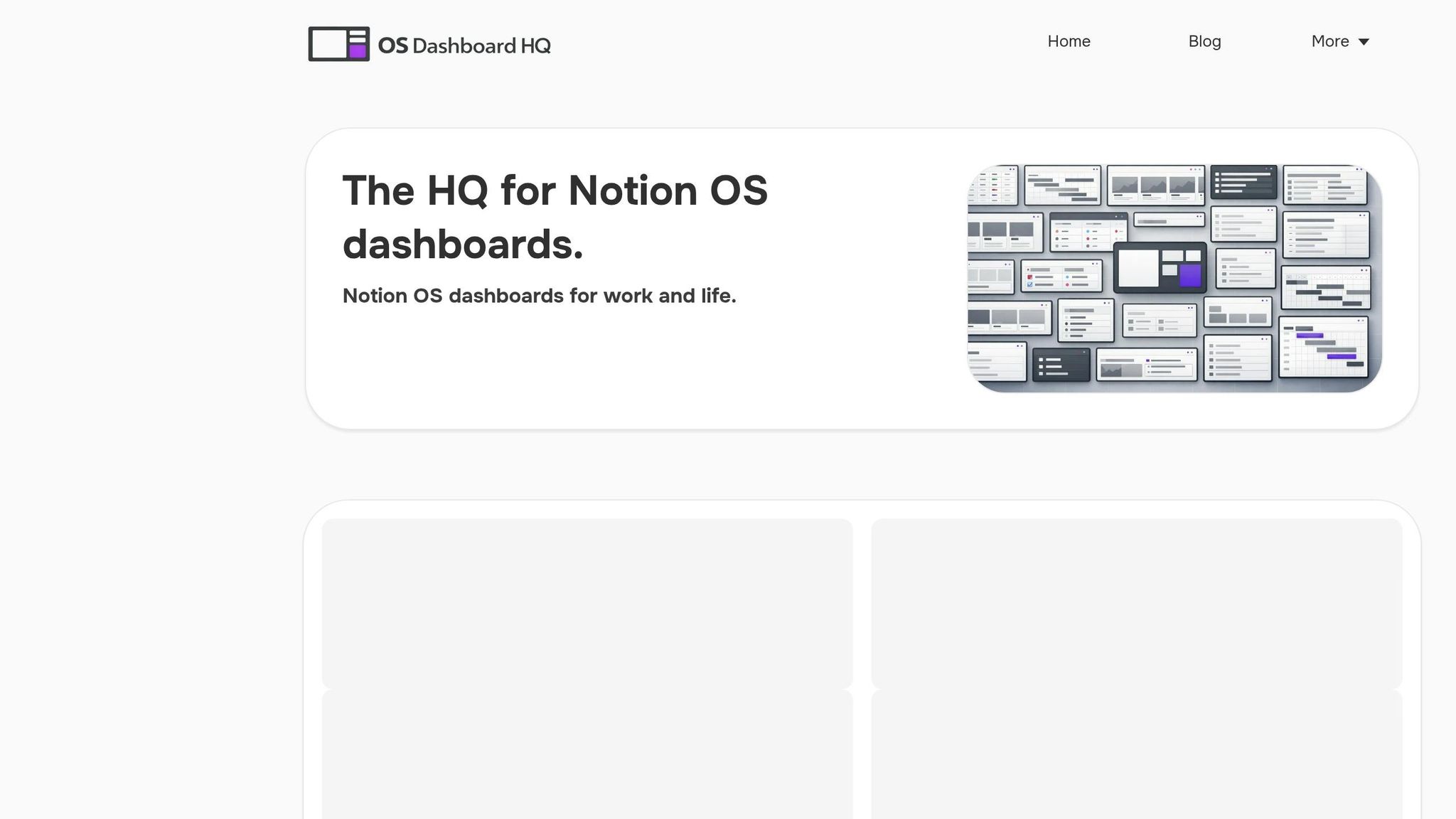
If you've pinpointed where your workflow could use some help, dive into the curated Creator OS dashboards and Marketing Content OS categories. These pre-built Notion systems are tailored for specific roles - whether you're a full-time creator, influencer, template seller, or social media manager. From content calendars to sponsorship and affiliate tracking, these dashboards are designed to address the unique needs of creative professionals.
For creators who also manage business operations, the Business OS dashboards offer systems like the Freelance Business OS, which simplifies client management, product sales, and revenue tracking. Templates such as the Small Business OS Template Kit and Productive CEO Operating System are built to handle tasks like managing partnerships and pricing strategies. If you're selling digital products, the Ecommerce Business OS Workspace includes tools like a Template Manager and Pricing Calculator, making it easier to plan and execute product launches.
To keep up with demanding content schedules while maintaining balance, explore the Personal Productivity OS and Life OS dashboards. Options like the GTD Productivity Dashboard and Ultimate Life Productivity Planner are designed to help you stay focused and energized while juggling your publishing and personal goals.
If you're unsure which system fits you best, consider bundles like the Premium Notion OS Bundle. These allow you to test multiple components - like pairing a content calendar with a finance tracker - so you can customize a setup that works perfectly for your needs. Each listing on OS Dashboard HQ provides a detailed breakdown of its structure, databases, and workflows, making it easy to compare features before committing. Visit OS Dashboard HQ to explore these ready-to-use dashboards and find the one that aligns with your creative workflow.
Conclusion
A Creator OS dashboard isn't a magic shortcut to instant success - it’s a tool for building consistent workflows that support steady publishing and business growth. By centralizing content calendars, performance metrics, brand assets, and sponsorship details in a single workspace, you cut down on tool-switching and reduce the risk of missing revenue opportunities.
Opting for a curated dashboard from OS Dashboard HQ means skipping the trial-and-error phase of system building. Creators can save more than 10 hours weekly thanks to streamlined operations. These dashboards are crafted by seasoned creators and Notion Certified Consultants, featuring optimized databases, linked views, and dashboards designed for clarity and scalability.
The trick is to align your primary channel, revenue streams, and current challenges with the right dashboard. Start with one or two that tackle your most pressing workflow needs, and expand as your creator business grows. Check out OS Dashboard HQ to explore their full collection of Creator OS dashboards, Marketing Content OS, and Business OS dashboards - all designed to keep your publishing pipeline running seamlessly.
FAQs
What’s the difference between a Notion template and a Creator OS?
A Notion template is like a single tool in your toolbox - pre-built to handle specific tasks such as content planning or habit tracking. It’s a standalone setup that you can tweak to suit your needs, but it usually serves one purpose at a time.
On the other hand, a Creator OS is the entire workshop. It’s a fully integrated system designed to manage every aspect of a creator’s workflow. From brainstorming ideas to production, publishing, and even tracking analytics, a Creator OS connects multiple templates into one cohesive, scalable workspace. It’s built with multi-channel creators in mind, offering a streamlined way to handle the complexity of managing content across platforms.
Which dashboard should I start with for my main content channel?
A multi-channel content planning OS is built to streamline how you manage content across various platforms. It helps you keep track of ideas, develop briefs, and align publishing schedules for all your key channels. With this type of dashboard, you can create a smooth workflow that takes you from brainstorming to publishing without missing a beat.
Can these dashboards track sponsors and income too?
These dashboards are built to help you manage sponsors and income efficiently. By organizing partnerships, campaigns, and revenue streams in one place, they make it easier to integrate these elements into your workflow, giving you better structure and clearer insights.