If you’re tired of juggling scattered Notion templates, upgrading to a Notion operating system (OS) could change how you manage your life or work. Unlike single templates, a Notion OS connects tasks, projects, goals, and habits into one streamlined system that works together - saving you time and reducing chaos.
This guide highlights the 10 best Notion OS dashboards for 2026, tailored for different roles and workflows. Whether you’re a freelancer, a business owner, or a creator, these dashboards offer ready-to-use systems based on proven productivity methods like GTD, PARA, and Atomic Habits.
Quick Overview:
- Life OS Dashboards: Ideal for managing habits, routines, and personal goals.
- Business OS Dashboards: Designed for client management, finances, and operations.
- Creator OS Dashboards: Perfect for content planning and publishing workflows.
Each option is pre-built to help you focus on what matters without rebuilding your setup from scratch. Let’s dive into the best options and how to pick the right one for your needs.
How To Use Notion To Organize Your Entire Life (Life OS Tour)
sbb-itb-ced67d6
Why Notion OS Dashboards Beat Single Templates
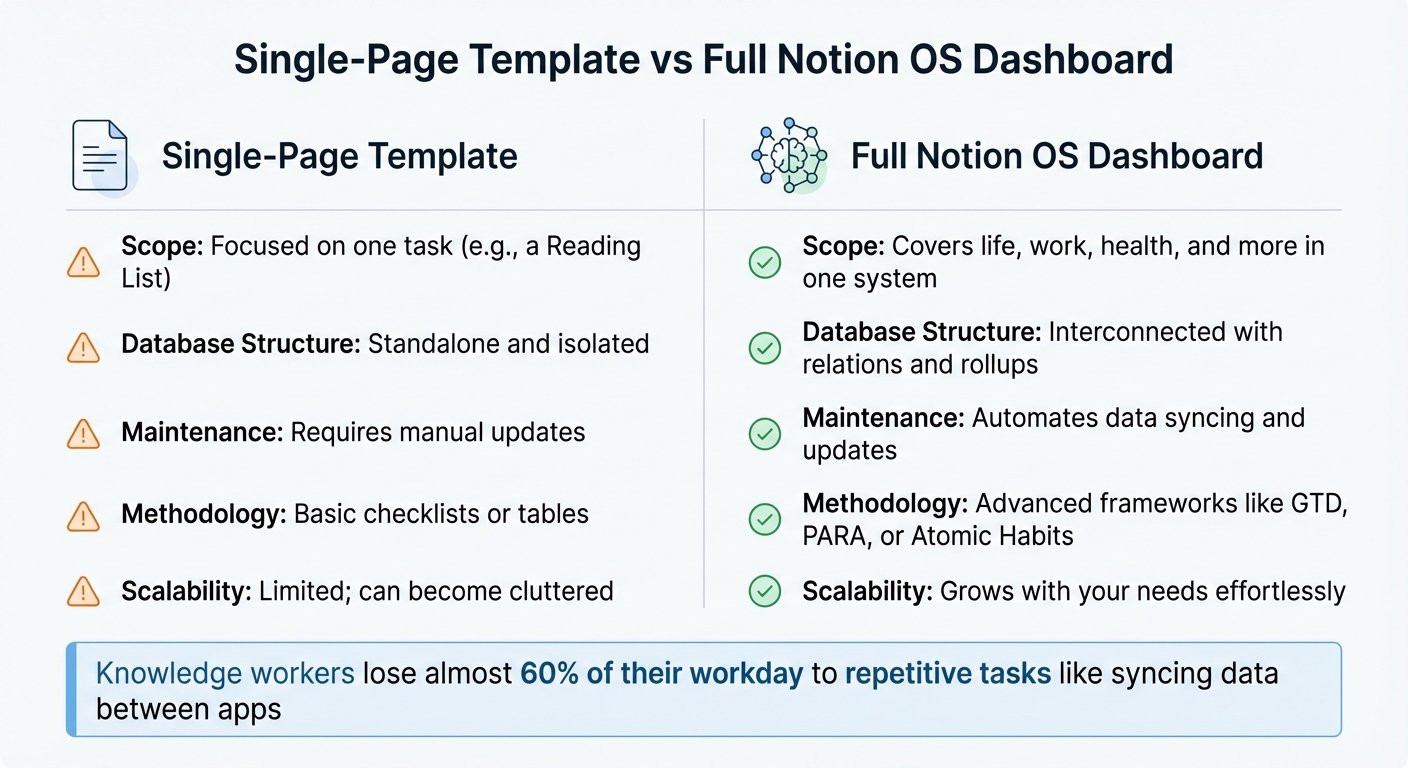
Single Notion Template vs Full Notion OS Dashboard Comparison
Single-page Notion templates are great for handling specific tasks - like tracking habits or managing a reading list - but they often fall short when you need a system to tie everything together. A Notion OS dashboard, on the other hand, connects multiple databases, creating a seamless flow between your tasks, projects, goals, and even habits. This setup transforms Notion from a collection of disjointed pages into a cohesive digital headquarters for your life or work.
The magic lies in how data moves across views in a Notion OS. In a standalone template, a task is static - it sits in one place and serves one purpose. But in a Notion OS, that same task becomes dynamic. It’s a database entry that can be filtered, sorted, and viewed in formats like calendars, Kanban boards, or timelines. As DigitalSet puts it:
In a paper agenda or an iPad PDF planner, a task is just ink on a page. In Notion, a task is a database entry. This means you can filter, sort, and view your to-dos in multiple ways.
Beyond flexibility, full operating systems save you from the time sink of manual updates and scattered tools. Research shows that knowledge workers lose almost 60% of their workday to repetitive tasks like syncing data between apps, switching contexts, and organizing fragmented information. A Notion OS eliminates these inefficiencies with features like Quick Capture inboxes, unified notifications, and automated rollups that populate your weekly and monthly reviews without extra effort.
Here’s how the two approaches stack up:
| Feature | Single-Page Template | Full Notion OS Dashboard |
|---|---|---|
| Scope | Focused on one task (e.g., a Reading List) | Covers life, work, health, and more in one system |
| Database Structure | Standalone and isolated | Interconnected with relations and rollups |
| Maintenance | Requires manual updates | Automates data syncing and updates |
| Methodology | Basic checklists or tables | Advanced frameworks like GTD, PARA, or Atomic Habits |
| Scalability | Limited; can become cluttered | Grows with your needs effortlessly |
OS Dashboard HQ simplifies the process by offering curated Notion OS dashboards built around proven productivity methods. Whether you’re a freelancer, a business owner, or anyone in between, these systems help you centralize and refine how you work.
How We Selected These 10 OS Dashboards
Our focus in selecting these dashboards was simple: boosting productivity. Each system is designed to help you capture tasks effortlessly, connect daily work to long-term goals, and cut out repetitive processes. The key requirement? Replacing scattered tools with an integrated system that delivers real, measurable improvements in your day-to-day workflow.
We leaned on proven methodologies like GTD (Getting Things Done), PARA, Atomic Habits, and Building a Second Brain. Some dashboards even incorporate up to 47 different frameworks into a single streamlined system. This means you get a well-structured setup without having to spend hours configuring it yourself. Another priority was interconnected databases - where tasks, projects, goals, and reviews are all linked. This ensures that a simple task entry doesn’t just sit in isolation but connects seamlessly to bigger-picture objectives.
Ease of use was just as critical as functionality. We looked for features like Quick Capture inboxes, layouts optimized for mobile, and dashboards that highlight only what you need each day. By cutting down on unnecessary widgets and clutter, these dashboards help reduce mental fatigue. Some even go a step further with AI-driven insights and weekly performance summaries, making it easier to stay on track.
We also made sure to cover a range of categories to suit different workflows. For example:
- Life OS dashboards focus on habits, health tracking, and personal routines.
- Business OS templates bring together client management, sales tracking, and operational tools.
- Creator OS systems are tailored for content planning, momentum tracking, and multi-platform publishing.
This variety ensures you're not stuck with a one-size-fits-all solution - you can choose a system that truly aligns with how you work.
Every dashboard on this list has been tested for its structure, scalability, and ability to transform Notion into a powerful productivity hub. Whether you're a startup founder juggling operations or a student managing coursework and side projects, there’s an option here that’s built for you. Below, explore the ten systems that passed our rigorous selection process.
1. Life OS Dashboard for Everyday Systems
Best for: Knowledge workers, freelancers, and startup founders who want to bring order to their tasks, notes, finances, and habits without relying on multiple apps.
The Life OS Dashboard for Everyday Systems brings everything together by linking tasks, habits, budgets, and notes into connected databases. This means your tasks feed into projects, projects align with goals, and goals support your personal growth. This identity-focused structure helps you stay aligned with your long-term vision while keeping day-to-day operations seamless.
One standout feature is the DRIP Matrix, which categorizes tasks based on energy (Charging vs. Draining) and financial value (High vs. Low). For example, James Rodriguez, an agency owner, used this system to evaluate his workload. He discovered that 60% of his time was spent on low-value tasks. Within a month, he automated half of those tasks and freed up more time for revenue-generating work, effectively doubling his productive hours. Beyond this, the dashboard includes five AI agents that analyze your data and provide weekly tactical insights.
The system encourages a structured weekly routine. Start with a Sunday Reset to migrate unfinished tasks, reflect on accomplishments, and map out your availability. Throughout the week, you’ll rely on Quick Capture inboxes for ideas, time-blocking for deep work, and habit tracking during review sessions. A three-project Work-In-Progress (WIP) limit ensures you stay focused without getting overwhelmed.
With over 3,000 verified customers and a 4.9/5 rating, this dashboard is built on 47 productivity principles, including Atomic Habits, Getting Things Done, and The 12 Week Year. Priced at a one-time fee of $149, it eliminates the need for multiple subscriptions by consolidating your tools into one efficient system.
2. Life OS Habit Dashboard
Best for: Students, entrepreneurs, and professionals looking to stay consistent with habits and regain momentum.
The Life OS Habit Dashboard is specifically designed to streamline daily habit tracking and build long-term consistency. It takes an identity-first approach by linking every habit to a "Higher Self" database. This database tracks progress along a spectrum from "Aspirational" to "Integrated", emphasizing that lasting change stems from focusing on who you are becoming rather than just the actions you take.
The dashboard structures habit tracking into Morning, Afternoon, and Evening stacks, creating a smooth flow where completing one habit naturally leads to the next. To maintain motivation, it features visual streak tracking to encourage the "Don't break the chain" mindset. Automated performance metrics roll up daily habit data into an Execution Score, which you can review weekly or monthly. For those seeking deeper insights, advanced versions of the dashboard include AI agents that analyze your habits over seven days and suggest which routines to "Kill, Automate, or Focus" on.
Each day starts with the Daily Planner view, where you execute your Morning Routine (like meditation, reading, or taking vitamins), and the streak counter updates automatically. In the evening, the dashboard prompts you to complete a Daily Log, reflecting on your wins and emotional state through guided journaling.
Users have consistently praised this system for its transformative impact. With a 4.95/5 rating from over 100 users, it’s clear that the identity-first framework resonates. Pricing begins at $29.
"I've tried every Notion template out there. This is the first one I've actually stuck with for more than a month. The identity-first approach completely changed how I think about productivity."
Alex Chen, a startup founder, highlighted how this dashboard fosters personal growth and productivity, making it a cornerstone of the broader Notion OS ecosystem.
3. Ultimate Life Productivity Planner
Best for: Students managing coursework, freelancers handling multiple clients, entrepreneurs growing their brands, and professionals balancing demanding jobs with personal health and finances.
The Ultimate Life Productivity Planner by OS Dashboard HQ is designed to streamline your entire workflow. It brings together to-do lists, finance tracking, habit monitoring, and note-taking into one centralized system. By combining popular productivity methods like Getting Things Done (GTD), SMART goals, the PARA method from Building a Second Brain, and principles from Atomic Habits, this planner turns scattered tools into a unified and functional workspace.
For goal tracking, it uses the GPS framework, breaking down annual resolutions into actionable quarterly, monthly, and weekly milestones, complete with progress bars. Project management tools include Kanban boards, timelines, and list views, along with WIP limits and ICE scoring to focus on high-impact projects. Daily task management is simplified with features like a Quick Capture inbox and the DRIP Matrix, which categorizes tasks based on energy (charging vs. draining) and value (high vs. low), helping you prioritize effectively.
The system encourages starting each week by reviewing unfinished tasks, celebrating wins, and planning your capacity. Mondays kick off with hour-blocking tasks using the Ivy Lee method, while ideas and tasks are captured in a GTD-style inbox. Habits are tracked with automated streak counters, and advanced versions of the planner include a Weekly AI Report that analyzes task data and emotional patterns.
Pricing ranges from $39 to $149, depending on the version and whether AI agents are included. With a 4.9/5 star rating from over 3,000 verified users, the planner has been widely praised for its thoughtful design. James Rodriguez, an agency owner, shared:
"The DRIP Matrix showed me I was spending 60% of my time on draining, low-value tasks. Within a month, I'd automated half of them and doubled my revenue hours".
This comprehensive system lays the groundwork for various productivity approaches, with the upcoming GTD Productivity Dashboard as another exciting example.
4. GTD Productivity Dashboard
Best for: Knowledge workers, researchers, creators, and anyone juggling multiple projects who need a clear system to capture, organize, and complete tasks.
The GTD Productivity Dashboard tackles common productivity struggles like missed deadlines, forgotten tasks, and overwhelming workloads by applying David Allen's GTD (Getting Things Done) methodology. It helps transform scattered ideas into structured, actionable projects with an Inbox capture system designed for quickly offloading tasks and thoughts. This frees up your mental energy, allowing you to organize everything during a focused Weekly Review session.
Using the P.A.R.A. framework, this dashboard creates a connected workspace where every task is tied to a specific project. Rollup properties automatically generate visual progress bars, giving you a clear view of how projects are advancing.
The dashboard supports the key GTD phases - Capture, Clarify & Organize, Reflect, and Engage - through features like quick-action buttons, context tags combined with DRIP categorization, Sunday Reset modules, and Kanban boards. These boards even include rules like limiting active projects to three at a time, helping you focus on what matters most. With research showing that knowledge workers lose nearly 60% of their day to "work about work", this dashboard consolidates your tasks into one reliable system.
This setup not only simplifies task management but also brings structure to your weekly workflow. A typical week might start with daily brain dumps into the Inbox, move into time-blocked deep work sessions, and wrap up with a Sunday Weekly Review to migrate tasks, reflect on achievements, and plan for the week ahead.
The GTD Productivity Dashboard turns Notion into a centralized productivity hub, much like the other OS dashboards highlighted here.
Experts have praised its design for its simplicity and clarity. Notion expert Camille Blanchod shared:
"This template has a clear structure and its minimalistic design makes it super easy to use".
Pricing for this dashboard ranges from $9.99 to $149.00 [20,4], and it boasts a stellar 4.95/5 rating from over 100 reviews on the Notion Marketplace. Users frequently highlight its ability to streamline brain dumps and help regain control through its identity-focused approach.
5. Clarity Focus and Time Management OS
Best for: Professionals juggling multiple projects, remote workers drowning in digital clutter, and anyone struggling to stay on top of unplanned days and scattered to-do lists.
The Clarity Focus and Time Management OS is built to help you take control of your day from start to finish. Instead of relying on scattered apps, this system offers a unified dashboard that prioritizes simplicity and organization.
At its core, this OS uses time blocking to carve out dedicated slots for deep work and daily routines like walking, meditation, or planning. It also incorporates prioritization tools to streamline decision-making: the Ivy Lee Method ranks your tasks for the day, ICE Scoring (Impact, Confidence, Ease) identifies the most valuable projects, and the DRIP Matrix categorizes tasks based on whether they energize or drain you. By limiting active projects to a maximum of three, it minimizes context switching, while centralized inboxes ensure you can quickly capture ideas without losing focus. Together, these tools create a system that supports structured weekly reviews and focused execution.
A key feature is the weekly Sunday Review, which helps you reset your tasks and establish clear priorities for the week ahead. The Today dashboard keeps you on track by spotlighting deep work sessions and your most important tasks. As the week unfolds, you can capture fresh ideas and use the DRIP Matrix to delegate or automate tasks that don’t require your attention. For agency owner James Rodriguez, this system made it easier to spot time-wasting activities and shift his focus toward high-impact work.
6. Productive CEO Operating System
The Productive CEO Operating System takes the streamlined principles of the Life and GTD dashboards and amplifies them for the needs of business leaders.
Best for: Startup founders, solo entrepreneurs, and independent consultants managing teams and overseeing high-level operations from one central hub.
The Productive CEO Operating System serves as a business's single source of truth, bringing together teams, projects, processes, and financial data into one cohesive dashboard. By reducing the need for constant tool switching, it allows leaders to focus on what truly matters - high-impact work. This system is tailored for those who need clear insights into what’s driving success, what’s draining resources, and where their energy should go next.
Key features include Quick Action Buttons for instantly adding priority tasks, notes, resources, and calendar events. The dashboard incorporates the DRIP Matrix, a business-specific tool for sorting tasks based on energy and financial value, along with ICE Scoring (Impact, Confidence, Ease) to prioritize initiatives that deliver the best return on investment. It also tracks KPIs with auto-rolling metrics, offering a clear view of execution scores, time accuracy, and financial health using the Profit First methodology. To help leaders avoid spreading themselves too thin, the system limits active projects to three at any given time.
Start your week with a Sunday review using the DRIP Matrix to identify high-value tasks and delegate less critical work. Throughout the week, log income and expenses while using the centralized team directory and shared project views to ensure alignment across your team. Wrap up the week with AI-generated reports that analyze your performance data and recommend tasks to eliminate, automate, or prioritize.
7. Small Business OS Template Kit
The Small Business OS Template Kit is tailored for solo entrepreneurs, freelancers, and independent consultants who need a streamlined way to manage clients, projects, and finances in one place.
Best for: Small business owners balancing client work, project management, sales pipelines, and everyday operations.
This dashboard acts as a central hub for your business, combining tools like a sales CRM for tracking outreach, project boards for managing tasks, a finance tracker to monitor income and expenses, a resource library for storing important tools and research, and an Essential Startup Tracker with step-by-step guidance for shaping your business idea and building an online presence. By consolidating these functions, it simplifies business management and ensures only the most critical information is displayed, reducing the risk of getting overwhelmed.
The system integrates seamlessly into your weekly routine. Notable features include Quick Action Buttons for instantly updating client and project details, such as priority tasks, notes, or calendar events. The client management CRM organizes contact details, tracks sales pipeline stages, and sets follow-up reminders, so you’re always on top of your leads. A Kanban-based project and task system ensures deliverables stay on schedule, while the finance hub offers real-time cash flow insights and includes invoicing tools. For businesses focused on content, the content planner aligns posts, videos, and articles with your business strategy.
Here’s how it fits into your week: Start Mondays by reviewing your sales pipeline and follow-ups in the CRM. Use the project boards to monitor milestones and log expenses throughout the week. By Friday, review completed tasks, cut unnecessary activities, and plan next week’s client appointments and deep work sessions.
8. Ecommerce Business OS Workspace
The Ecommerce Business OS Workspace is built for ecommerce operators and small business teams who want a single hub to manage orders, inventory, and customer data effectively.
Who it’s for: Ideal for ecommerce pros juggling product catalogs, order fulfillment, supplier coordination, and marketing efforts across multiple channels.
This workspace brings everything together in one place. It features a centralized sales database to track order statuses, customer details, inventory levels, and SKU information. A dedicated supplier hub keeps records of contact information, lead times, and purchase histories. The finance tracker links sales and order data with revenue and expense logs, giving you a clear view of profits and cash flow. For marketing, it includes a content planner to align product launches with social media campaigns and promotional schedules.
Here’s how it might look in action during a typical week: On Monday, you’d review weekend sales and update fulfillment statuses. Tuesday could focus on auditing inventory and placing supplier reorders. Mid-week, you’d log expenses and analyze revenue reports. By Thursday, you’d plan promotions for overstocked products, and on Friday, you’d review growth metrics while brainstorming ideas for new products.
As with other systems from OS Dashboard HQ, this workspace replaces scattered tools with a single, streamlined solution. Priced at $39, it also supports automations via integrations like Zapier or Make, allowing you to sync sales data from platforms like Shopify or WooCommerce directly into Notion - eliminating the need for manual updates.
9. Multi-Channel Content Planner
The Multi-Channel Content Planner transforms Notion into a powerhouse for creators, freelancers, and startup founders who need to manage content across multiple platforms - all from one streamlined hub.
Who it’s for: This is ideal for anyone managing YouTube videos, Instagram posts, podcasts, blogs, or social media updates. Whether you’re building a personal brand or running several content channels solo, this dashboard keeps everything organized.
This planner ensures your content strategy stays focused. It categorizes content by pillars like Educate, Inspire, and Entertain, helping you align each piece with your overall goals instead of reacting to what feels urgent. Quick Action buttons make it easy to capture ideas on the fly, feeding them into pipelines for scripting, caption writing, and scheduling. Kanban boards and calendar views provide clarity on where each piece stands - from initial idea to publication - while metadata fields handle platform-specific details like hashtags, styles, and deadlines.
Here’s how a typical week might look: On Sunday, review your content calendar and assign ideas to specific channels and pillars. From Monday to Wednesday, focus on creating - filming videos, drafting posts, or designing graphics. On Thursday, batch-schedule your posts and finalize captions. By Friday, review performance metrics and move any unfinished tasks forward.
Priced at $49, the Multi-Channel Content Planner replaces the need for scattered tools, giving creators a single workspace to keep projects moving without losing track of what’s in progress or ready to publish. It’s a system designed to help you stay consistent and efficient.
10. Blogging OS with AI and SEO
The Blogging OS with AI and SEO is built for bloggers, digital marketers, and content creators who juggle a high volume of posts. Instead of relying on scattered tools, this system provides a unified workspace that takes you from brainstorming ideas to publishing SEO-optimized content - all within Notion.
Who it's for: Perfect for those managing a steady flow of content, from ideation to final publication with SEO in mind.
This dashboard organizes your workflow using Kanban boards, guiding content through stages like Idea, Research, Draft, SEO Review, and Published. A Resource Hub puts tools like Google Trends and AnswerThePublic at your fingertips, so you can validate ideas before diving into writing. Posts are categorized by content pillars - such as Educate, Inspire, and Entertain - to help maintain a well-rounded strategy. Quick Action buttons make it easy to capture ideas on the fly, ensuring they seamlessly enter your editorial process. The setup is designed to fit into a weekly routine, making it simple to move from concept to publication without missing a beat.
Here’s how a typical week might look: On Monday, use the Vision AI Agent to review your content goals and prioritize topics using ICE scoring (Impact, Confidence, Ease). From Tuesday to Thursday, focus on drafting and adding SEO details like keywords and target search terms. On Friday, schedule your posts in batches and analyze performance metrics. By Sunday, the Weekly AI Report evaluates your productivity trends and suggests tasks you can automate, delegate, or cut. As Sarah Martinez, a content creator, shared:
"The AI agents are a game-changer. Getting a weekly report that actually analyzes my behavior and tells me what to change? It's like having a coach in my pocket."
The Blogging OS with AI and SEO keeps your content workflow streamlined, helping you publish consistently while staying on top of SEO and performance analytics. It's a powerful tool for creators who want an all-in-one solution to manage their content pipeline.
Which Notion OS Dashboard Is Right for You?
Finding the right Notion OS dashboard starts with understanding your role and priorities. If you're managing personal routines, tracking your health, or handling household tasks, a Life OS might be the perfect fit. Options like the Life OS Dashboard for Everyday Systems or the Ultimate Life Productivity Planner offer a central hub for habits, goals, and daily to-dos. Many of these systems incorporate popular methods like GTD (Getting Things Done) and PARA to keep your short-term tasks aligned with your long-term goals.
For solo entrepreneurs or startup founders, a Business OS could be more suitable. Tools like the Productive CEO Operating System or the Small Business OS Template Kit consolidate key areas like roadmaps, KPIs, and team workflows into one streamlined workspace. On the other hand, if you're building a personal brand or juggling multiple creative projects, a Creator OS - such as the Multi-Channel Content Planner or Blogging OS with AI and SEO - can help you organize your content pipeline and publishing schedule with ease.
When choosing, focus on your biggest workflow challenge. Whether it's scattered life tasks, unorganized business projects, or chaotic content workflows, pick one OS that addresses your primary pain point. Stick with it for at least a month to let it fully integrate into your routine before considering additional systems. Jumping between unrelated templates can lead to disconnected databases and inefficiency, so this focused approach keeps your data connected and your workflow smooth.
Still unsure? Visit OS Dashboard HQ to explore dashboards by role - like founder, creator, or student - or by use case, such as client management, content planning, or habit tracking. With its detailed filters, the site makes it easy to find a system tailored to how you work best, saving you time and guesswork.
How to Set Up a New OS Without Getting Overwhelmed
The key to setting up a new OS is to take it step by step. Begin with the basics: tasks, projects, and goals. These are the backbone of most OS dashboards, and many from OS Dashboard HQ already come pre-configured with these elements connected. This means you can dive right into organizing your work, often with guided tutorials that help you set everything up in under an hour.
Start by gathering all your scattered data - whether it’s in Google Calendar, Trello, Evernote, or elsewhere - and bring it into your new OS. Use a "Quick Capture" inbox to dump all tasks and notes without worrying about organizing them right away. This simple step not only reduces the hassle of jumping between apps but also creates a centralized system for everything you need. Research shows that knowledge workers lose nearly 60% of their day on "work about work", like hunting for information across multiple tools. Consolidating your data into one place can save you hours.
For the first week, keep things simple. Use just two views: "Today" and "Week." This helps you focus on what’s immediately important while building a habit of daily reviews. Many users find that switching to a dashboard that highlights only the essentials boosts their productivity, with execution rates climbing from 40% to 85%. To keep your system running smoothly, schedule a weekly review - either on Sunday or Friday - to handle unfinished tasks and set priorities for the week ahead.
To avoid feeling overwhelmed, limit your focus to just three active projects at a time. This reduces context switching and keeps your attention on what truly matters. Instead of juggling everything you could do, concentrate on what you will do this week. Dashboards from OS Dashboard HQ are designed with nested feedback loops (Daily → Weekly → Monthly) that automatically roll your data up, so you can spend less time on updates and more time executing.
Turn Notion Into Your Productivity Hub
A Notion OS dashboard consolidates your tools into one streamlined workspace. Instead of constantly switching between apps, you’ll have a single ecosystem where tasks, projects, goals, and notes are interconnected. This setup allows every small action to align with your bigger objectives, so you’re not just completing tasks - you’re making progress toward what truly matters.
Did you know that knowledge workers lose nearly 60% of their day on "work about work"? This includes tasks like searching for information or juggling multiple apps. A well-designed OS dashboard eliminates that inefficiency by keeping everything in one place. In fact, users of integrated OS systems have reported boosting their execution rates from 40% to 85% thanks to automated feedback loops.
Whether you’re looking for a Life OS to organize routines and personal goals, a Business OS to manage clients and projects, or a Creator OS to streamline your content workflow, the right dashboard ensures you focus only on what’s important today. As one startup founder shared, the identity-first design of these systems leads to long-term commitment and usage.
Check out our curated Notion operating systems at OS Dashboard HQ. Browse by role, use case, or OS type to find the perfect system for your needs. Start with one, make it your own, and turn Notion into your ultimate productivity hub.
FAQs
What makes a Notion OS different from a template?
A Notion OS is more than just a template - it's a fully connected system that integrates databases, views, and workflows into a unified setup for managing your life or work. Unlike templates, which are often single, standalone pages, a Notion OS provides the interconnected structure and dynamic features needed to keep everything running smoothly and in sync.
Which dashboard should I start with for my role?
When picking a dashboard, focus on what you need to organize the most. If you're managing personal tasks, routines, or goals, a Life OS dashboard built for daily planning is a solid choice. For work-related needs, a Business OS can streamline projects, meetings, and tracking KPIs. Meanwhile, creators can turn to a Creator OS to handle content workflows efficiently. Start with the OS that matches your primary focus to keep things manageable and set up a system that works for you.
How do I migrate my existing tasks into a new OS fast?
To move your tasks into a new Notion OS efficiently, start by using Notion's built-in templates or import tools to bring in your existing task data. Once imported, connect your tasks to the right databases, such as projects or goals, to keep everything organized. Focus on key dashboard views like Today or Week to quickly identify and prioritize what needs attention.
To keep things manageable, stick to just 1-2 dashboards at the start. This helps you get comfortable with the system without feeling overwhelmed. Schedule weekly reviews to ensure everything stays organized and aligned with your goals.