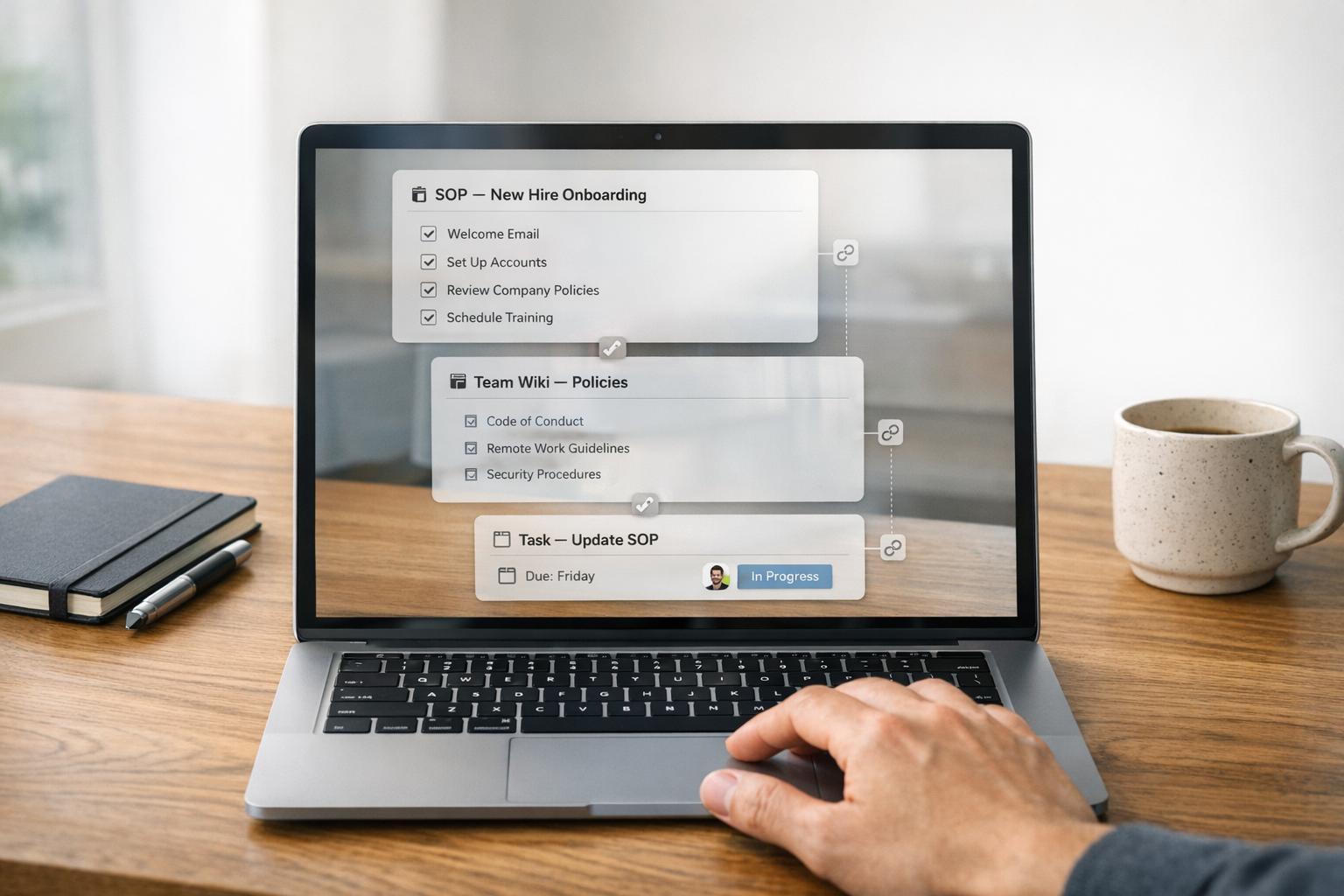
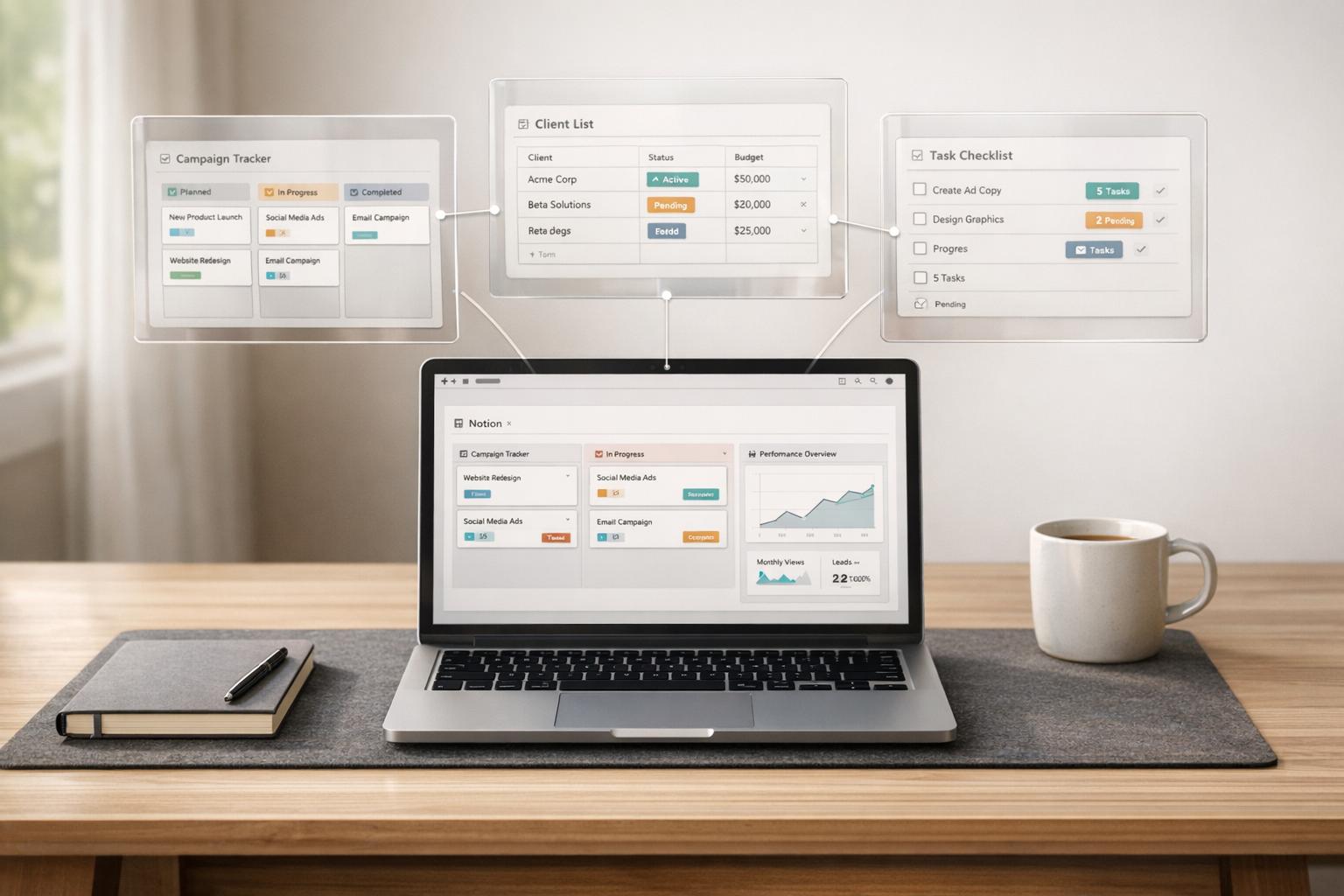
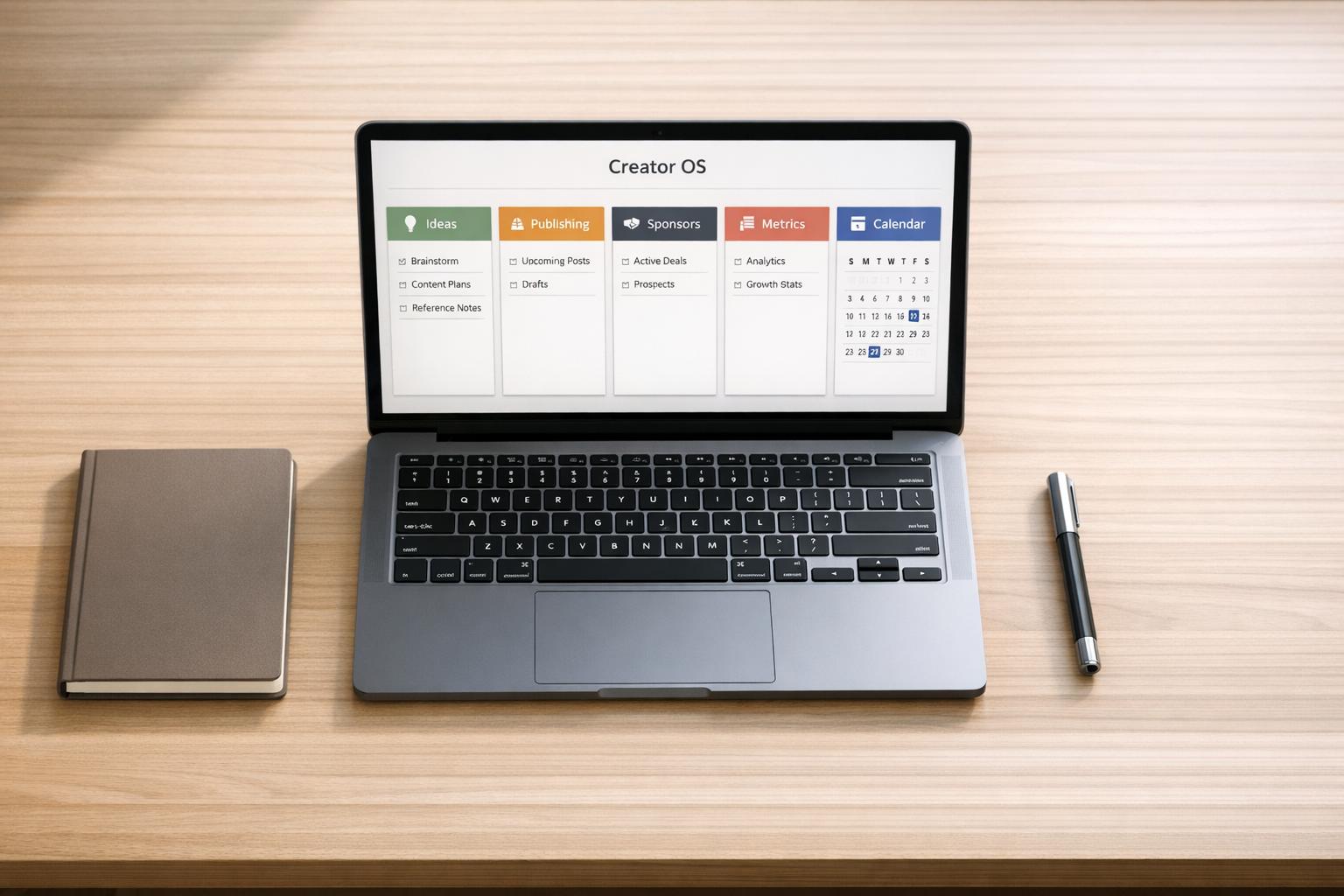
If your Notion setup feels scattered, you’re not alone. Whether it’s managing client projects or keeping up with personal habits, most people struggle to stay organized when everything is spread across random pages. That’s where a Notion operating system (OS) comes in.
This article breaks down Business OS and Life OS - two types of Notion setups designed to streamline your work or personal life. A Business OS centralizes clients, projects, and finances, while a Life OS focuses on habits, routines, and long-term goals. Both eliminate the chaos of juggling multiple tools, but knowing which one to start with can make all the difference.
Quick overview:
- Business OS: Ideal for founders, freelancers, or teams managing clients, projects, and revenue.
- Life OS: Perfect for individuals looking to track habits, health, and personal goals.
- Combined approach: Learn how to run both systems side by side without creating clutter.
This guide will help you decide which OS fits your needs, highlight key differences, and show how to connect work and life in Notion without overcomplicating your setup.
Let’s unpack what makes these systems different and how to choose the right one for you.
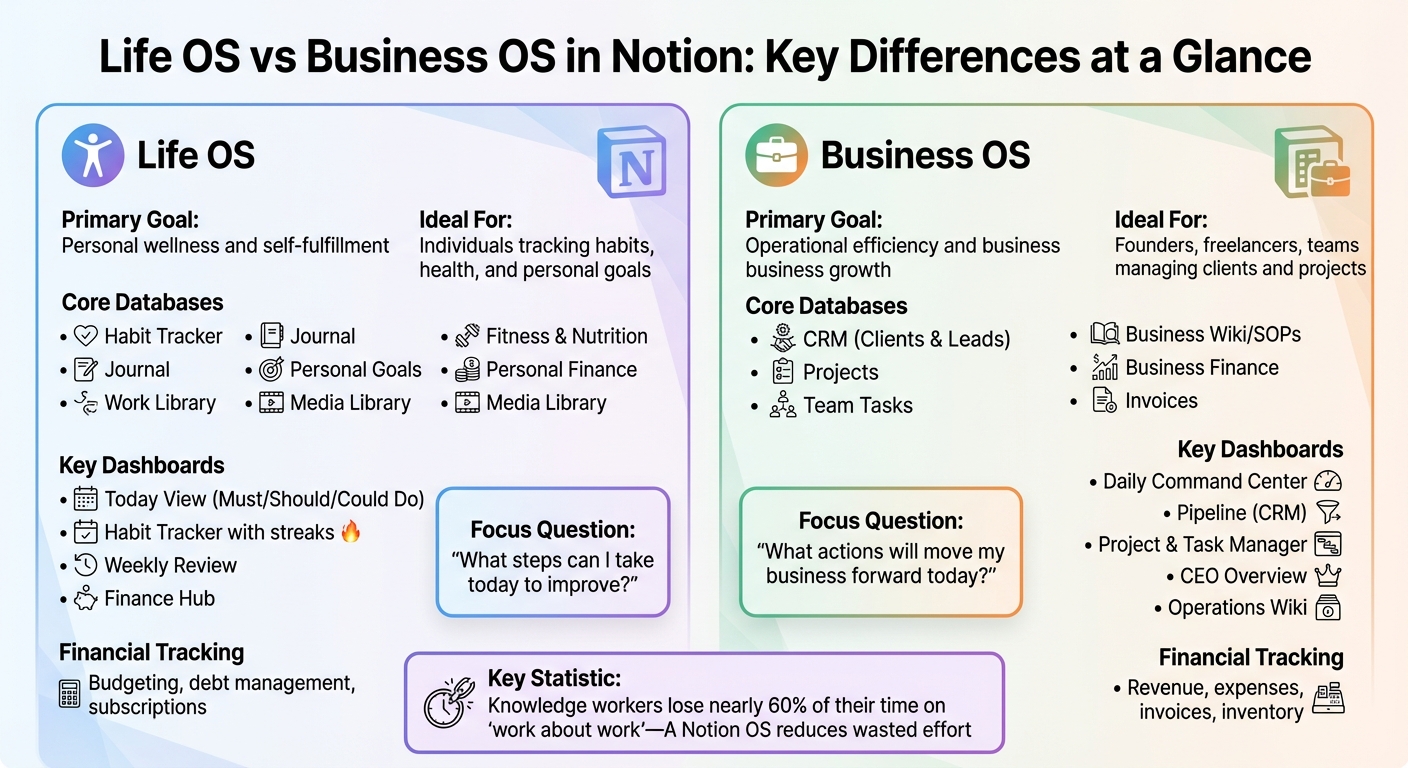
Life OS vs Business OS in Notion: Core Differences Comparison Chart
The 2026 Notion Life & Business OS for Solopreneurs
sbb-itb-ced67d6
What Life OS and Business OS Mean in Notion
A Notion operating system (OS) brings your tasks, projects, notes, and goals into one unified hub, cutting out the constant need to jump between apps. By linking databases, it connects your daily to-dos directly to your bigger goals, creating a seamless workflow. This structure makes it easy to separate personal and business management within Notion.
A Life OS is all about personal organization. It helps you manage habits, health, finances, journaling, and knowledge, turning your aspirations into actionable daily routines. These systems often use an "Identity-First Design", starting with your vision and breaking it into manageable steps. If you’re curious about examples, check out the Life OS dashboards category on OS Dashboard HQ.
On the other hand, a Business OS acts as a central hub for professional operations. It organizes client relationships (CRM), lead tracking, project workflows, and strategic plans, making it easier to run a business efficiently. Ayk Martirosyan, Founder of Maray, explains it best:
Most small businesses aren't businesses. They're a chaotic collection of tasks, held together by one person's willpower... The real problem is the absence of a single source of truth.
You can explore examples in the Business OS dashboards category.
Both Life OS and Business OS simplify your day by centralizing key functions. Studies show that knowledge workers lose nearly 60% of their time on "work about work" - like hunting for files, switching tasks, or chasing information. A Notion OS reduces that wasted effort by giving you one place to organize, focus, and act - whether it’s for personal growth or managing your business.
Core Databases: Business OS vs Life OS
Notion databases are the backbone of any system, whether you're organizing your personal life or running a business. A Life OS focuses on areas like habits, health, and personal goals to keep you aligned with your personal aspirations. On the other hand, a Business OS is built around managing clients, projects, and revenue - everything needed to keep your business thriving. Here's a closer look at the databases that set these systems apart.
Life OS Databases
A Life OS typically includes tools to guide your personal growth. For instance:
- A Habit Tracker helps you monitor daily routines.
- A Journal provides a space for reflection and mindfulness.
- A Fitness & Nutrition database tracks your health metrics, from workouts to meal plans.
- A Personal Goals database breaks down your long-term visions into actionable steps, often using the PARA method (Projects, Areas, Resources, Archive) for organization.
- Many setups also include a Personal Finance tracker for budgeting and managing subscriptions.
- A Media Library can be used to log books, movies, or other learning resources.
What makes Life OS unique is how it ties tasks to key life areas - like "Health & Wellness" or "Career Growth" - ensuring your everyday actions align with your larger vision. As Dr. Lena Torres, a Behavioral Systems Designer, explains:
The best organizational systems don't just track data - they reveal patterns in behavior.
Business OS Databases
While Life OS is about personal growth, Business OS is all about optimizing operations and driving results. Key databases in a Business OS include:
- A CRM database to manage clients, leads, and deals, ensuring every task ties back to revenue.
- A Projects database to oversee deliverables and deadlines.
- A Wiki to store standard operating procedures (SOPs) and other essential knowledge.
- A Business Finance database to track invoices, expenses, and profits.
In a Business OS, tasks are directly linked to clients, projects, and revenue streams rather than personal goals. This creates a scalable system where every action contributes to operations, team workflows, or growth. For inspiration, check out examples like the Small Business OS Template Kit or the Freelance Business OS System.
| Feature | Life OS Databases | Business OS Databases |
|---|---|---|
| Primary Goal | Personal wellness and self-fulfillment | Operational efficiency and business growth |
| Core Databases | Habits, Journal, Fitness, Nutrition, Personal Goals | Clients, Leads, Projects, Team Tasks, SOPs |
| Financial Focus | Budgeting, debt management, subscriptions | Revenue, expenses, invoices, inventory |
| Relationship Management | Personal CRM for friends and family | Business CRM for leads, clients, and partners |
| Knowledge Management | Reading lists, personal notes, learning resources | Company Wiki, brand assets, meeting notes |
Dashboards and Daily Workflows: Life OS vs Business OS
The way you interact with your Notion setup depends heavily on the type of operating system you’re using. A Life OS focuses on personal growth and asks, "What steps can I take today to improve?" Meanwhile, a Business OS zeroes in on progress and efficiency, asking, "What actions will move my business forward today?" Both systems translate stored data into actionable daily workflows, tailored to their unique purposes.
Life OS Dashboards
A Life OS typically opens with a Today view that filters tasks into categories like Must, Should, or Could Do, helping you prioritize at a glance. It often includes a Habit Tracker, where you can monitor routines like exercise, hydration, or reading, with streaks to keep motivation high. Beyond tasks and habits, Life OS dashboards often feature a Journal for recording thoughts, moods, and reflections, as well as a Finance Hub to track income, expenses, and savings goals.
Another key feature is the Weekly Review dashboard, which brings together data on habit streaks, emotional trends, and progress toward personal goals. This review often becomes part of a Sunday Ritual to clear mental clutter, review the past week, and plan for the one ahead. If you’re looking for inspiration, check out the Life OS Dashboard for Everyday Systems or the Life OS Habit Dashboard.
While Life OS focuses on personal routines, a Business OS is designed to optimize the way you operate professionally.
Business OS Dashboards
A Business OS often starts with a Daily Command Center, which centralizes today’s tasks, ongoing projects, and a lead pipeline for easy access. Its Pipeline (CRM) dashboard links leads and clients directly to related projects and communication logs, ensuring no detail falls through the cracks. A Project & Task Manager - often using Kanban boards or timelines - shifts your focus from putting out fires to working proactively. Meanwhile, a Business Wiki serves as a central hub for Standard Operating Procedures (SOPs) and other key resources.
For high-level oversight, the CEO Overview dashboard tracks long-term goals, growth metrics, and guiding principles, offering a bird’s-eye view of your business. As Ayk Martirosyan, Founder of Maray, puts it:
Most small businesses aren't businesses. They're a chaotic collection of tasks, held together by one person's willpower.
Curious about what these systems look like in action? Check out the Small Business OS Template Kit or the Freelance Business OS System.
| Dashboard Type | Purpose | Key Components |
|---|---|---|
| Today View (Life) | Focus on personal priorities | Tasks, habits, mood tracker, daily journal |
| Weekly Review (Life) | Reflect and realign | Habit streaks, goal progress, weekly reflection |
| Pipeline (Business) | Manage sales and growth | Lead tracking, conversion stages, follow-up dates |
| Operations (Business) | Boost team efficiency | Wiki/SOPs, meeting notes, team tasks |
| CEO Overview (Business) | Strategic decision-making | OKRs, financial health, high-level project status |
Which OS to Start With
How to Decide
The best way to choose your starting OS is to address your biggest challenge. As Ayk Martirosyan, Founder of Maray, describes it, if your business feels like a "chaotic collection of tasks, held together by one person's willpower," then a Business OS should be your first step. On the other hand, if personal disorganization is your main source of stress, a Life OS can provide immediate relief.
Go for a Business OS if you’re constantly losing track of client information, struggling with scattered project plans, or spending more time putting out fires than working proactively. A Business OS brings everything together - CRM, lead tracking, and documented processes - making it especially useful when revenue inconsistencies or messy handoffs are slowing you down. Tools like the Freelance Business OS System or the Small Business OS Template Kit are great places to start.
Choose a Life OS if your work deadlines are clashing with personal routines, fitness habits are slipping, or your personal projects and ideas lack structure. Research shows that knowledge workers lose nearly 60% of their day to non-essential tasks. A Life OS helps by centralizing routines, tracking habits, and aligning goals. Consider starting with the Life OS Dashboard for Everyday Systems or the Dream Life Planner.
If both areas feel equally chaotic, focus on the one that causes the most stress. Start by identifying your "domino goal" - the area that, when organized, will make everything else easier. Set 3–5 clear objectives for the next 90 days and pick the OS that directly supports those goals. Once you’ve established a solid foundation, you can layer in a second OS later.
| Situation | Best Starting OS | Key Reason |
|---|---|---|
| Client info lost in emails, projects scattered | Business OS | Centralizes CRM, leads, and projects |
| Personal habits, health, and routines breaking down | Life OS | Reduces mental load with habit tracking and goal alignment |
| Revenue unpredictable, no documented SOPs | Business OS | Provides business Wiki and repeatable processes |
| Busy but not productive, ideas on sticky notes | Life OS | Captures loose ends and aligns routines with your vision |
| Both work and life feel chaotic | Start with whichever causes the most stress, then add the other in 90 days | Focus prevents overwhelm and ensures system adoption |
Next, we’ll dive into how these systems can complement each other over time.
Running Life OS and Business OS Together
Once you have your foundational OS in place, you can effectively manage Life OS and Business OS side by side without merging everything into one chaotic workspace. The trick lies in creating a light connection between the two systems through shared planning and review pages, rather than attempting full database integration. A centralized command center - like a "Today" or "Weekly Review" dashboard - can pull together active tasks and projects from both your Life OS and Business OS. This way, you can keep your focus on what truly matters, all in one streamlined view.
Keeping these systems distinct is key to avoiding what productivity experts call "workflow disorder." This happens when personal routines - such as meal planning or fitness tracking - get tangled up with professional responsibilities like managing client pipelines or standard operating procedures. By maintaining separate spaces, you not only preserve clarity but also ensure privacy. For example, your Business OS can be shared with team members or assistants, while your Life OS stays private, housing personal journals, health metrics, and financial data. Julien Quintard, Founder & CEO of Routine, sums it up well:
Systems create consistency. Consistency compounds into outcomes.
To connect the two systems efficiently, use Notion's Relation property to link work tasks to overarching life goals. This ensures that your professional milestones align with and support your personal growth. A shared weekly review session - kept under 45 minutes - is a great way to tie everything together. Start with your high-level objectives, then move on to projects and individual tasks from both systems for a comprehensive overview.
For a seamless workflow, set up a "Quick Capture" inbox where you can drop ideas, whether they’re related to work or personal life. Sorting these thoughts during your evening or weekly review prevents mental clutter and allows you to stay focused throughout the day. If financial tracking spans both systems, you might consider using a Profit First approach - managing business buckets like taxes and profit alongside personal ones like savings and living expenses. This keeps everything visible while maintaining clear boundaries.
The most effective organizational systems don’t just collect information - they help you spot patterns in your behavior. By running Life OS and Business OS in parallel, with strategic reviews and a daily command center, you can see how professional achievements fuel personal goals. At the same time, you’ll identify areas where one system might be draining energy from the other. For dashboards designed to unify tasks and reviews across both areas, check out the Personal Productivity OS category on OS Dashboard HQ. Options like the GTD Productivity Dashboard or the Clarity Focus and Time Management OS are excellent tools for bridging these two worlds.
Next, dive into specific examples and dashboard recommendations on OS Dashboard HQ to refine your setup further.
Find Your Life OS or Business OS Dashboard on OS Dashboard HQ
Now that you know the difference between a Life OS and a Business OS, it’s time to pick the right dashboard for your needs. OS Dashboard HQ makes this process easier by offering a curated directory of Notion OS dashboards. Instead of building everything from scratch, you can explore proven templates designed for specific roles - like founders, freelancers, and students - or specific purposes, such as personal routines, client workflows, or financial tracking.
If you’re looking for a Life OS, head over to the Life OS dashboards category. These templates are geared toward managing habits, goals, and personal projects. For a multi-functional option, check out the Life OS Dashboard for Everyday Systems, which integrates productivity frameworks with AI-powered performance tracking. Prefer something simpler? The Life OS Habit Dashboard is great for managing daily routines and streaks. For broader personal planning, the Dream Life Planner and All-in-One Life Planner include features like finance hubs, fitness logs, and even wardrobe trackers.
For those focused on business, the Business OS dashboards category offers templates tailored for client management, project workflows, and team coordination. The Small Business OS Template Kit is ideal for centralizing CRM, lead tracking, and SOPs. Freelancers might prefer the Freelance Business OS System, designed to help solo consultants juggle multiple clients and invoices. Agencies and startups can explore more specialized options in the Agency OS dashboards and Startup OS dashboards categories, which include templates like the Productive CEO Operating System and the Headquarters Toolkit.
If you’re looking to combine personal and professional organization, the Personal Productivity OS category has you covered. Options like the GTD Productivity Dashboard, Bullet Journal Productivity System, and Clarity Focus and Time Management OS provide unified systems for managing tasks, time, and goals.
With these dashboards, you can focus on what matters - whether that’s personal growth or business success. Browse by role or use case to find the perfect system and start building consistency in your workflow.
FAQs
Can one Notion setup be both a Life OS and a Business OS?
It’s possible for one Notion setup to serve as both a Life OS and a Business OS, but it’s often more practical to keep them separate. A Life OS is designed around personal routines, goals, and habits, while a Business OS focuses on managing clients, projects, and finances. Combining these systems can create unnecessary clutter, which is why many users opt to keep them distinct. However, they can still be conceptually linked through tools like shared planning or review processes, ensuring a cohesive workflow without sacrificing clarity.
What’s the simplest set of databases to start with for each OS?
The most straightforward databases for a Life OS revolve around habits, routines, personal goals, and personal projects. These databases help you stay on top of daily life, health, and self-improvement. On the other hand, a Business OS typically starts with clients, projects, deals, finances, and team tasks. These are designed to handle business workflows, manage client interactions, and keep track of financial details. Both setups offer a strong starting point, customized to fit either personal or professional priorities.
How do I keep my Life OS private while sharing my Business OS with a team?
To maintain privacy for your Life OS while sharing your Business OS, take advantage of Notion's access permissions. You can set up separate workspaces or adjust sharing settings for each system. This way, personal details like routines and goals in your Life OS stay private, while team members can access shared dashboards and project trackers in your Business OS. If needed, you can also selectively share linked databases to keep sensitive information secure.